Select Language:
Playing Slay the Spire 2 solo is familiar, as it plays mostly like the original game, but with improved artwork, new cards, enemies, and various other updates. The true new feature, however, is the multiplayer mode, which allows you to team up with friends.
This card game mode supports cooperative play, letting you progress, build decks, and take on runs together. Here’s how multiplayer functions in Slay the Spire 2 and how to join friends in the game.
Currently, the game is in Early Access, so some details might change over time.
How to Play with Friends
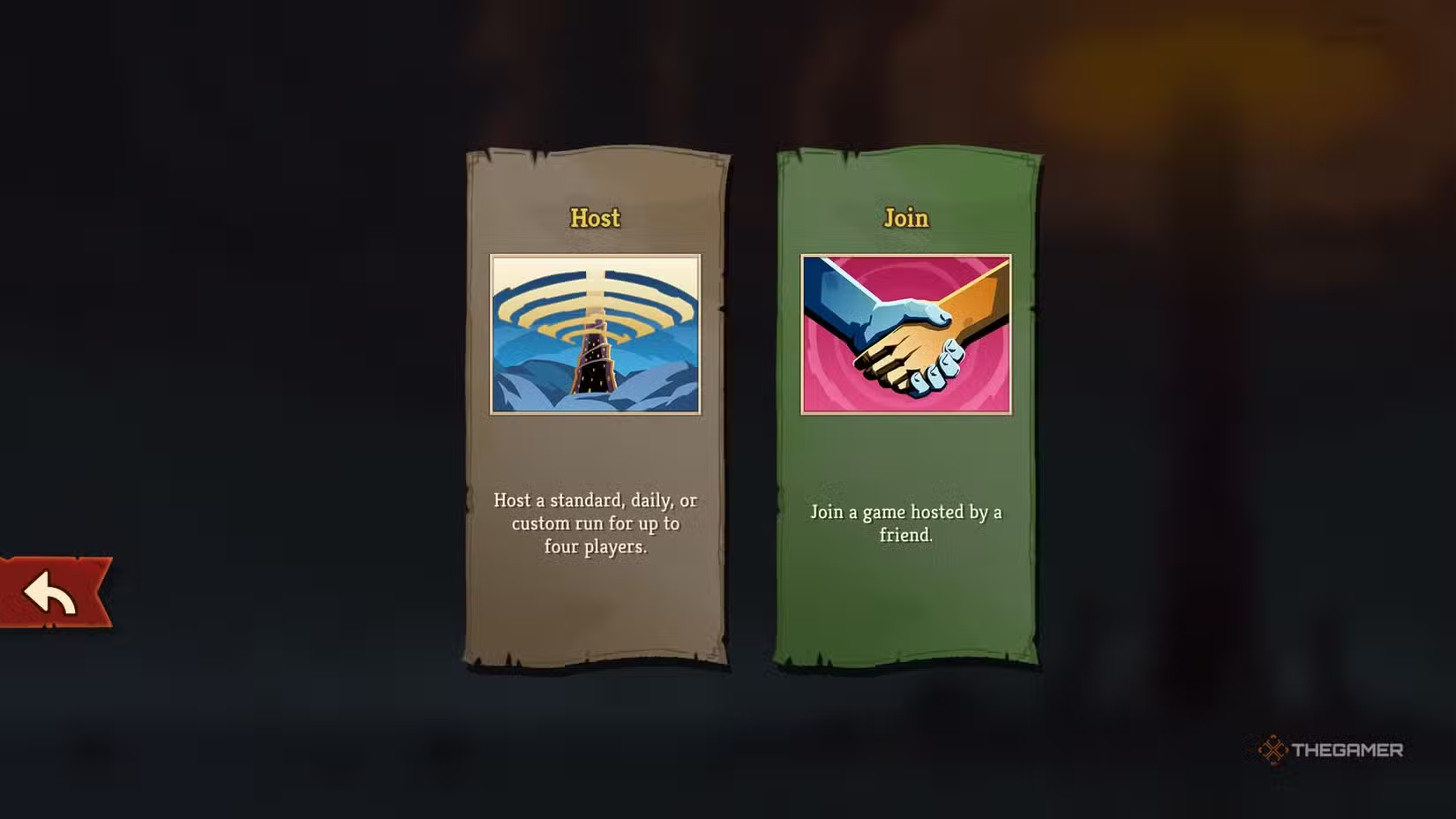
You can start multiplayer right when you launch the game. Although a prompt might suggest playing a single-player run first, you can ignore it and jump into multiplayer instead.
To do so, go to the Multiplayer menu and choose whether you want to host a game or join one. Hosting won’t affect your progress — you simply create a game session. If you choose to join, you’ll need to find and connect to an existing game first. When hosting, you’ll arrive at the character select screen, where you can invite up to three friends by pressing the button at the top left.
After inviting your friends, select the only available mode, called Standard, and your cooperative run will start.
Progression works the same as solo play. You can advance through the game’s Compendium, unlock Epochs, and acquire rewards just like when playing alone.
Can You Play with Random Players?
No, matchmaking isn’t available at the moment. You can only play with friends you invite directly.
How Multiplayer Mechanics Work
Multiplayer in Slay the Spire 2 follows the same core rules and mechanics as solo mode but adds some interesting features:
- Map Drawing: While choosing your route on the map, you can draw on the screen, which is useful for suggesting or planning routes.
- Enemy Scaling: Enemies don’t introduce new behaviors, but their health and damage increase depending on the number of players. Enemies also focus on all players at all times.
- Special Cards: There are exclusive multiplayer cards that can affect multiple players or allies, and you can use potions on friends.
- Loot Sharing: When interacting with NPCs or events, each player earns their own loot. When opening chests, you’ll need to decide who gets each relic.
- Healing Sacrifice: Instead of resting at campfires, you can choose to give your healing to an ally, helping them recover.
- Health and Defeat: Each character has their own health bar. If a player falls, the game continues for others. The game ends if all players die.
Playing cooperatively adds new strategic layers and team-based mechanics, making each run unique.
 ChatGPT
 Perplexity
 Gemini AI
 Grok AI