Select Language:
Traveling alone across the land in Where Winds Meet can be challenging, but it doesn’t have to be for long. You can meet new friends on your journey and invite them to join you, which benefits everyone. Getting started takes just a few moments, and soon you’ll be ready to explore together.
We’ll guide you through everything you need to know about making friends, matching up with others, and working together to complete quests and tasks. Once you start playing in co-op mode, it’s hard to go back to playing solo for long stretches. Here’s how you can invite your friends to join you in Where Winds Meet.
### How Does Multiplayer Work in Where Winds Meet?
There are various ways to join multiplayer modes. The easiest is to hop into the online map, although some quests and features may be limited in this mode. Alternatively, you can invite players to your world on the solo map, allowing you to play together in a traditional cooperative way.
### How To Add Friends
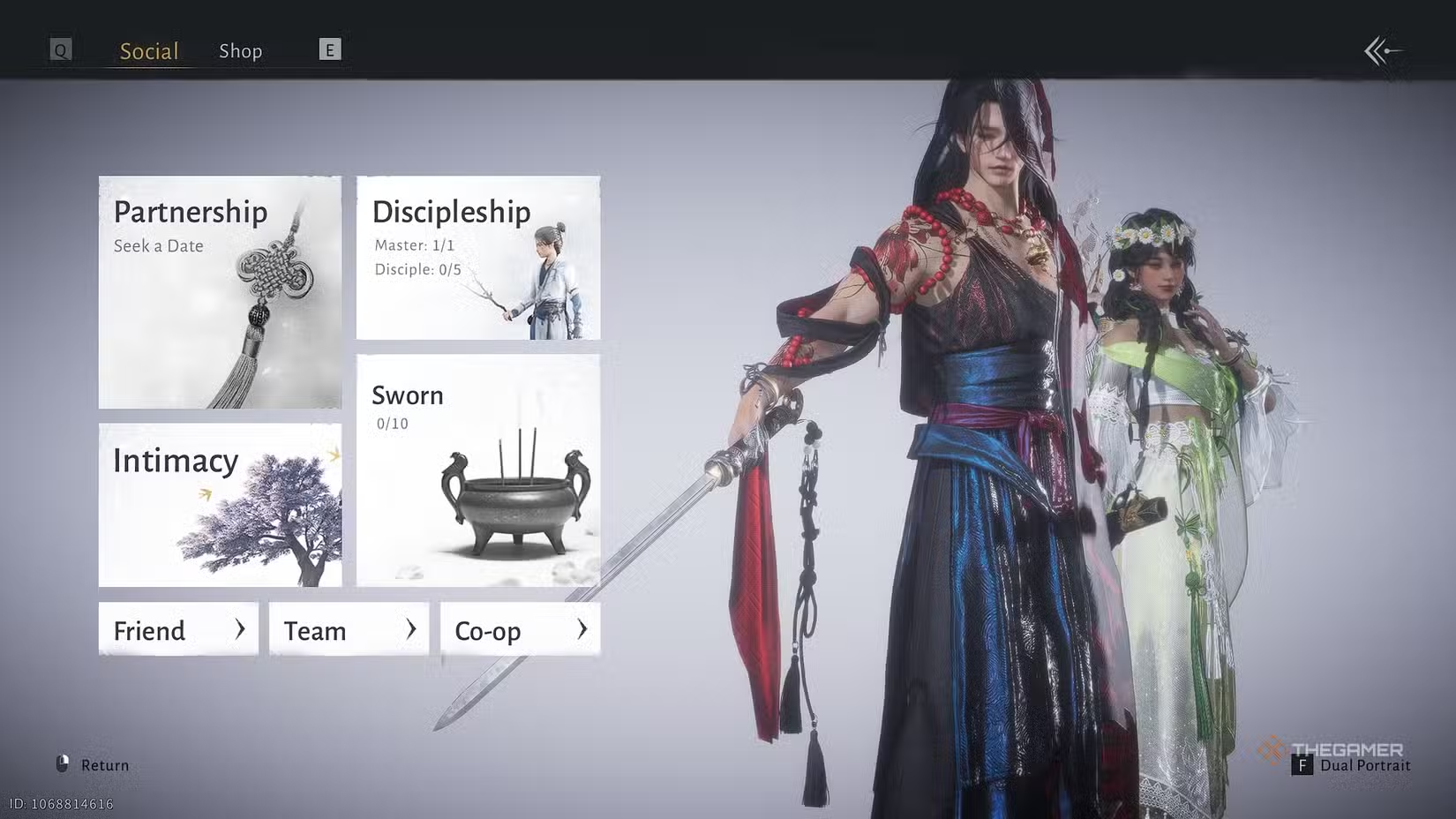
You can add friends through the social menu, either by searching for their username or user ID number. In the social menu, select the friends tab and then choose the option to add a new friend. You can search for people you know, or you can send friend requests to players you meet on the multiplayer online map.
### How To Switch Between Solo and Multiplayer
At the top of your screen, you’ll see an icon that shows either a lone warrior or a group. Clicking this icon allows you to switch between the solo and online maps. In the solo map, other player characters won’t appear unless you invite them, but the multiplayer online map is full of players like you.
Switching modes is as simple as toggling the icon. Keep in mind that changing maps will teleport you to the nearest safe spot you’ve unlocked. If you want to fast travel, make sure to unlock nearby boundary stones first.
Some features, such as wild horses and certain quests, are not available in online mode but can be resumed in solo or co-op play.
### How To Use Co-Op Matchmaking
In the same menu where you switch to the online map, you’ll find the option to start co-op through solo matchmaking. Here, you can create a room for up to five players, and you will travel together across the solo map as a team.
As your co-op team advances, you’ll earn adventure slips that can be traded for new items in the shop.
### How To Assist Other Players
If other players are stuck on a boss or puzzle, they can send a help request via an assistance signpost. This allows you to connect with them and work together to complete objectives. Accepting help doesn’t happen automatically—you’ll need to wait for their approval before proceeding. Use the matchmaking menu to team up and overcome tough obstacles.
### Does Where Winds Meet Have Voice Chat?
Yes. You can talk with other players using voice chat, especially when visiting guild bases. Open the chat menu, then navigate to the Windtail Lounge. There, you can join voice chat rooms to communicate with others. You can leave these menus anytime, and microphone settings can be adjusted in the options menu.
 ChatGPT
 Perplexity
 Gemini AI
 Grok AI