• About Us
  • Contact Us
  • Advertise
  • Privacy Policy
  • Guest Post
No Result
View All Result
Digital Phablet
  • Home
  • NewsLatest
  • Technology
    • Education Tech
    • Home Tech
    • Office Tech
    • Fintech
    • Digital Marketing
  • Social Media
  • Gaming
  • Smartphones
  • AI
  • Reviews
  • Interesting
  • How To
  • Home
  • NewsLatest
  • Technology
    • Education Tech
    • Home Tech
    • Office Tech
    • Fintech
    • Digital Marketing
  • Social Media
  • Gaming
  • Smartphones
  • AI
  • Reviews
  • Interesting
  • How To
No Result
View All Result
Digital Phablet
No Result
View All Result

Home » Guide to Changing Your Name in Marvel Rivals

Guide to Changing Your Name in Marvel Rivals

Emily Smith by Emily Smith
December 25, 2024
in Gaming
Reading Time: 2 mins read
A A
Guide to Changing Your Name in Marvel Rivals
ADVERTISEMENT

Select Language:

When you begin your journey in Marvel Rivals, one of the first tasks is to create a username for your account. This username will be how your friends find you to join in on the fun. While some players may treat this lightly, many feel a bit of pressure to pick the right name, especially since there are concerns about not being able to change it later.

ADVERTISEMENT

Fortunately, in Marvel Rivals, changing your username is possible—but it does require a bit of effort. In this guide, we’ll walk you through the steps to update your name whenever you feel the need for a change.

How to Change Your Username

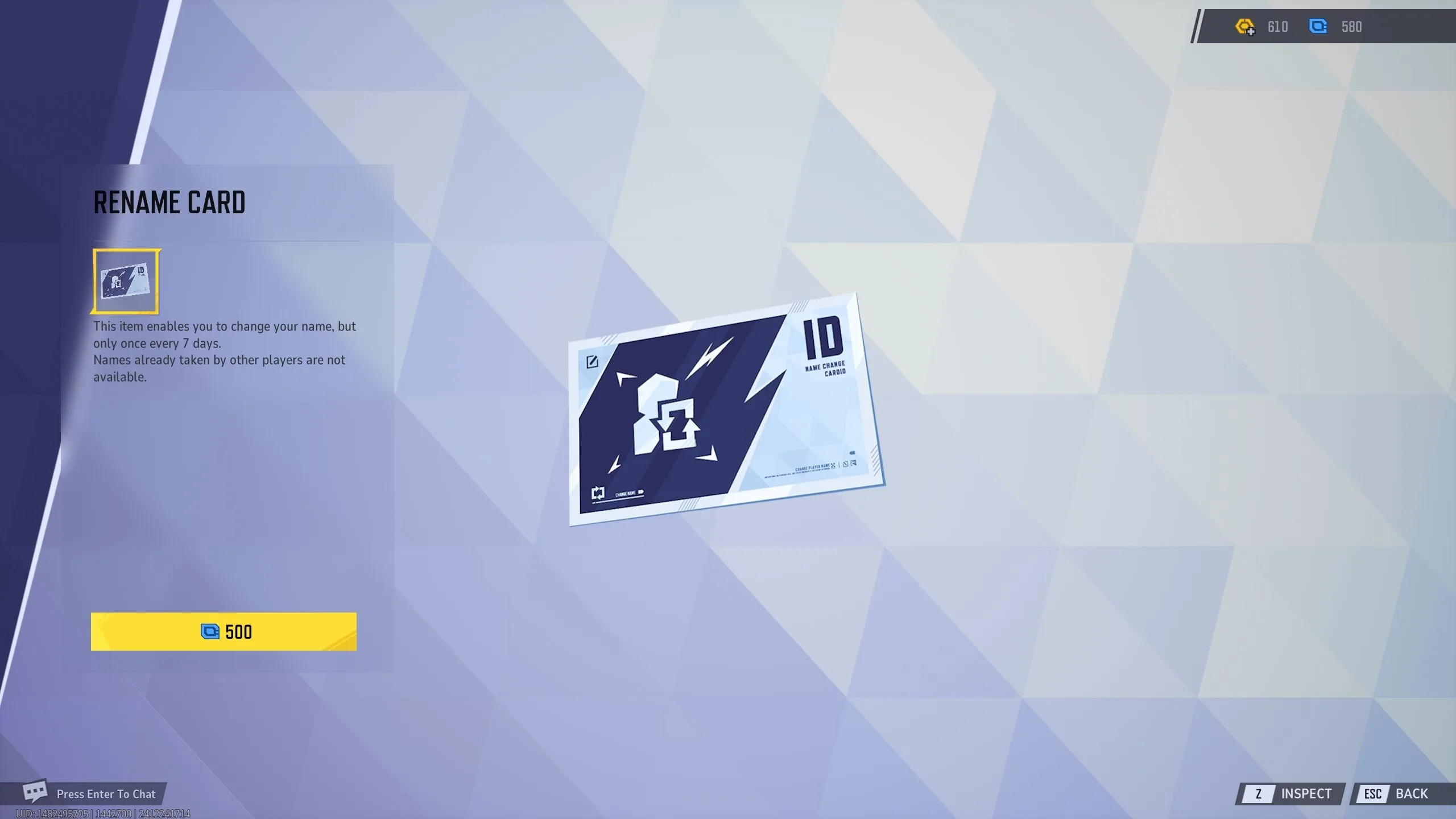
Changing your username in Marvel Rivals is simple, but it comes with a small fee. You’ll need to buy a Rename Card to make this change. Here’s how you can do it:

Start by going to the Store menu in the game. Click on the Items tab, where you’ll find the option to purchase the Rename Card. This card is available for 500 Units.

ADVERTISEMENT

Once you have your Rename Card, you’re set to change your name. Just use the card to unlock the feature that allows you to update your in-game name to something new.

Here are a few important points to remember:

  • The Rename Card is a one-time use item, meaning you can only change your username once per card. If you want to change it again later, you will need to buy another Rename Card.
  • You can change your name only once every seven days. This policy prevents players from changing their names too frequently and helps maintain a stable gaming environment.
  • When selecting a new username, remember that it must be unique. You can’t choose a name that someone else is already using, so think creatively!

With these steps in mind, you’re all set to customize your experience in Marvel Rivals!

ChatGPT ChatGPT Perplexity AI Perplexity Gemini AI Logo Gemini AI Grok AI Logo Grok AI
Google Banner
Tags: change your nameHow ToLive-Service GamesMarvel Rivals
ADVERTISEMENT
Emily Smith

Emily Smith

Emily is a digital marketer in Austin, Texas. She enjoys gaming, playing guitar, and dreams of traveling to Japan with her golden retriever, Max.

Related Posts

How to Pickpocket in Crimson Desert: Completing and Solving Tips
Gaming

How to Pickpocket in Crimson Desert: Completing and Solving Tips

March 30, 2026
How to Steal Items Without Getting Caught in Crimson Desert Using Completing and Solving
Gaming

How to Steal Items Without Getting Caught in Crimson Desert Using Completing and Solving

March 27, 2026
How to Get the Redacted Twitch Drops in Rainbow Six Siege by Completing and Solving
Gaming

How to Get the Redacted Twitch Drops in Rainbow Six Siege by Completing and Solving

March 27, 2026
How to Complete the Soul Spear Quest in Crimson Desert
Gaming

How to Complete the Soul Spear Quest in Crimson Desert

March 26, 2026
Next Post
Unlock Free Fortnite Yulejacket & Snoop Dogg Santa Skins!

Unlock Free Fortnite Yulejacket & Snoop Dogg Santa Skins!

  • About Us
  • Contact Us
  • Advertise
  • Privacy Policy
  • Guest Post

© 2026 Digital Phablet

No Result
View All Result
  • Home
  • News
  • Technology
    • Education Tech
    • Home Tech
    • Office Tech
    • Fintech
    • Digital Marketing
  • Social Media
  • Gaming
  • Smartphones

© 2026 Digital Phablet