Select Language:
If you’ve been playing Genshin Impact for some time, you’re probably used to updates arriving roughly every six weeks, bringing new quests, areas, and characters. Sometimes, these updates also introduce completely new game modes, like the latest Version Luna II update.
This update is nearly the biggest in the game’s history because it introduces Miliastra Wonderland, a mode that provides endless gameplay. In this mode, you can build your own games and also enjoy experiences created by other players—all for free.
How to Access Miliastra Wonderland
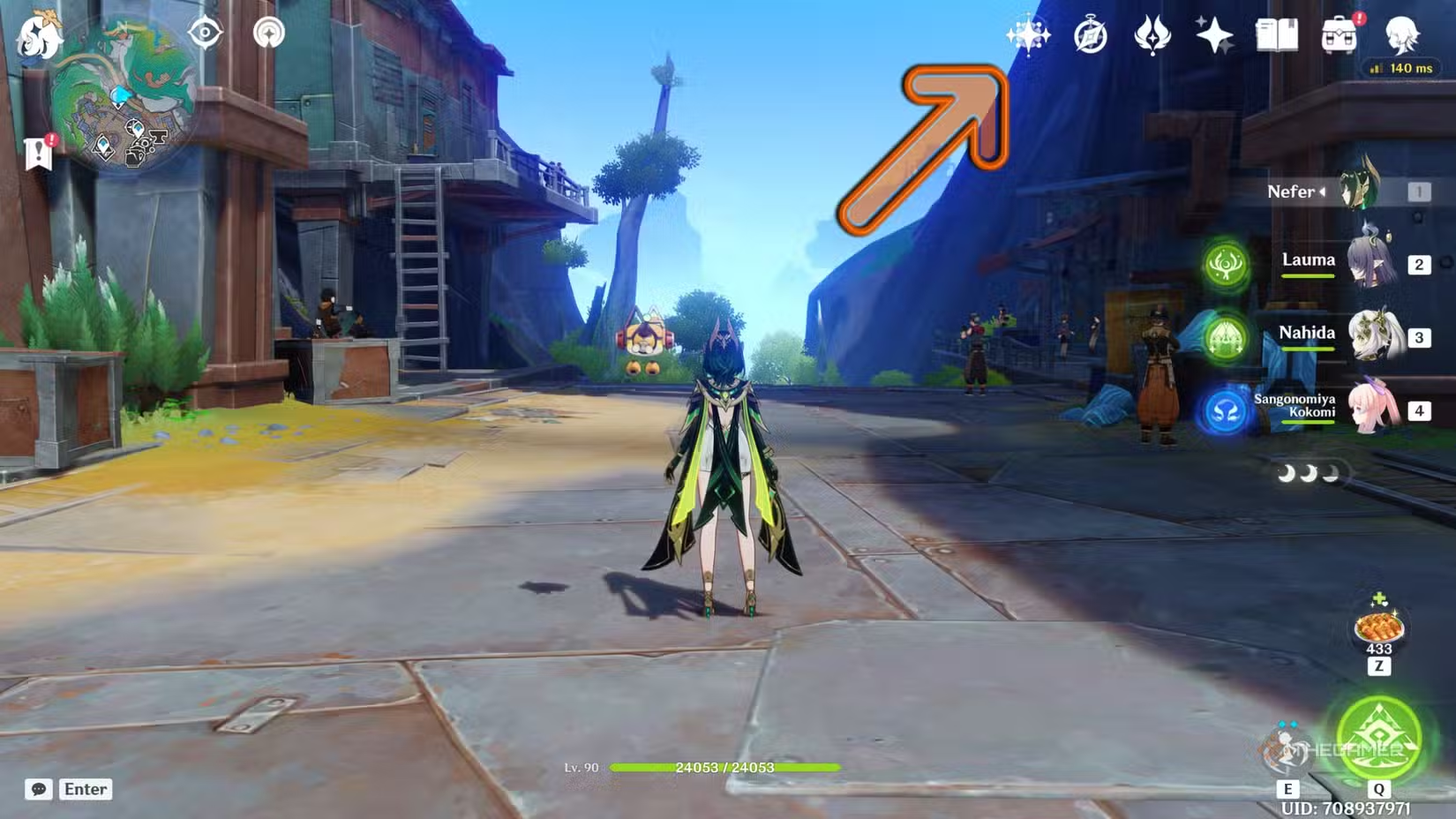
Once you start the game, during the prologue, you’ll find yourself in Jean’s office with other characters. After the dialogue finishes, Miliastra Wonderland unlocks automatically. To enter, click the button on the top right corner of your screen, right next to the events button.
When unlocked, a special menu appears at the bottom of the main menu, giving you quick access to all parts of this mode. Also, the Manekin becomes a playable character in your open world, and you can level them up by increasing your Wonderland level.
How to Play Games in Miliastra Wonderland
Miliastra Wonderland is designed for endless fun, with a variety of games to choose from, many of which are multiplayer and replayable. To browse available games, you can:
- Use the button on the top right in the main world to open the game catalog.
- Or, if you’re already in a lobby, interact with the large orb with a hat to access the catalog.
In the catalog, games are split into three sections:
- The most popular current games, which you can browse.
- The top monthly games, which are also selectable.
- A list of all experiences, sorted by genre (yellow labels). If you’re looking for something specific, click the “All Wonderland” button in the top right to see everything, with options to filter by popularity and other criteria.
For multiplayer games, it’s best to sort by popularity since busier queues mean shorter wait times. The multiplayer experience mirrors events like Windtrace, so expect some delay if your internet connection has high ping. Successfully winning in Wonderland increases your rank and leaderboard standing.
How to Get New Outfits
One of the main draws of Miliastra Wonderland is customizing your Manekin’s outfits. Since you can take these characters into the normal world, it opens up many fun photo and gameplay opportunities. You can obtain outfits in two ways:
- Gacha: Spend real money on limited-time banners or use the Geode of Replication in the standard banner.
- Complete tasks: Finish certain battle pass challenges or Wonderland exploration missions (the latter is a one-time task).
When you get an outfit via gacha, you’ll need to craft it using duplicates of items obtained through the process. Rewards from exploration are directly added to your wardrobe, which you can access by clicking the top-right icon in a Wonderland lobby. Here, you can change your character’s clothes freely.
How to Increase Wonderland Level
Your Wonderland level grows as you play and participate. Upgrading your Manekin’s level and talents requires raising the Wonderland level itself. The simple way to do this is by using the mode frequently—everything you do in Wonderland grants experience (EXP). You earn EXP through:
- Playing different stages.
- Increasing your rank in any Wonderland.
- Moving higher on leaderboards.
- Completing achievement in Wonderland.
Gaining EXP to level up your Wonderland may take varying amounts of time depending on what activities you engage in.
How to Create Your Own Game
Want to craft your own Wonderland game? It’s easy and doesn’t require any coding skills. The main requirement is to follow a detailed guide that explains the system’s inner workings, which you can find online.
To start, click the leftmost icon at the top right corner in a Wonderland lobby. This opens options to create a new save or edit your existing one. Additionally, you can browse templates for new games by heading to the game catalog and clicking the button next to “All Wonderland.” This allows you to build and personalize your own worlds easily.
 ChatGPT
 Perplexity
 Gemini AI
 Grok AI