• About Us
  • Contact Us
  • Advertise
  • Privacy Policy
  • Guest Post
No Result
View All Result
Digital Phablet
  • Home
  • NewsLatest
  • Technology
    • Education Tech
    • Home Tech
    • Office Tech
    • Fintech
    • Digital Marketing
  • Social Media
  • Gaming
  • Smartphones
  • AI
  • Reviews
  • Interesting
  • How To
  • Home
  • NewsLatest
  • Technology
    • Education Tech
    • Home Tech
    • Office Tech
    • Fintech
    • Digital Marketing
  • Social Media
  • Gaming
  • Smartphones
  • AI
  • Reviews
  • Interesting
  • How To
No Result
View All Result
Digital Phablet
No Result
View All Result

Home » Completing Your Look: Solving Short Hair Styling in InZoi

Completing Your Look: Solving Short Hair Styling in InZoi

Emily Smith by Emily Smith
March 31, 2025
in Gaming
Reading Time: 2 mins read
A A
ADVERTISEMENT

Select Language:

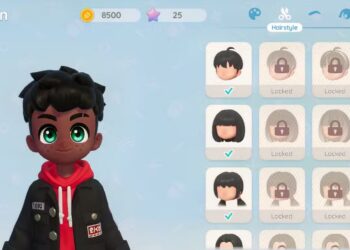
When designing your Zoi in InZoi, it’s important to pay attention to every detail, including selecting the perfect hairstyle. Whether you’re in the character creation phase or making changes to an existing Zoi, you might want to adjust the hair length.

ADVERTISEMENT

This option isn’t immediately clear, especially since it isn’t available for all hairstyles. Here’s what to look for when you’re in either the Create a Zoi or edit menus.

InZoi is currently in early access on Steam, which means content may evolve over time. We’ll keep this guide updated with new information as it comes out.

How To Change Hair Length

When you’re creating or editing your Zoi, some hairstyles will give you the ability to customize the default length. However, there are a few limitations to keep in mind.

For hairstyles that support this feature, you can only make the hair shorter, not longer. Also, only ten hairstyles in total have this option: three medium-length hairstyles and seven long hairstyles.

To modify the hair length, simply click on the color wheel to access the hairstyle options. If the length is adjustable, you’ll see a slider labeled ‘Length’ at the bottom of the pop-up window. Move this slider to shorten the hairstyle as desired.

Remember, you’re not stuck with the hairstyle you picked during creation. You can change your Zoi’s appearance at any time, and while there are some limitations, the hairstyle isn’t one of them.

ChatGPT ChatGPT Perplexity AI Perplexity Gemini AI Logo Gemini AI Grok AI Logo Grok AI
Google Banner
Tags: hairIndie GamesinZOIshorter
ADVERTISEMENT
Emily Smith

Emily Smith

Emily is a digital marketer in Austin, Texas. She enjoys gaming, playing guitar, and dreams of traveling to Japan with her golden retriever, Max.

Related Posts

How to Defeat Raging Conchfly in Hollow Knight: Silksong Completing & Solving
Gaming

How to Defeat Raging Conchfly in Hollow Knight: Silksong Completing & Solving

September 24, 2025
How to Get Through the Mist in Hollow Knight: Silksong by Completing Challenges
Gaming

How to Get Through the Mist in Hollow Knight: Silksong by Completing Challenges

September 24, 2025
How To Defeat Disgraced Chef Lugoli in Hollow Knight: Silksong by Completing and Solving
Gaming

How To Defeat Disgraced Chef Lugoli in Hollow Knight: Silksong by Completing and Solving

September 24, 2025
Things We Wish We Knew Before Completing Our Door to Strangers in No, I'm Not Human
Gaming

Things We Wish We Knew Before Completing Our Door to Strangers in No, I’m Not Human

September 22, 2025
Next Post
Understanding Ranked Rewards and Matches in Pokémon TCG Pocket

Understanding Ranked Rewards and Matches in Pokémon TCG Pocket

  • About Us
  • Contact Us
  • Advertise
  • Privacy Policy
  • Guest Post

© 2025 Digital Phablet

No Result
View All Result
  • Home
  • News
  • Technology
    • Education Tech
    • Home Tech
    • Office Tech
    • Fintech
    • Digital Marketing
  • Social Media
  • Gaming
  • Smartphones

© 2025 Digital Phablet