Select Language:
Your mobile base is essentially your home in The Alters, and you’ll find yourself enhancing it as the story progresses. You’ll not only need to add new rooms but also rearrange the layout to make everything fit. Plus, you’ll have to keep an eye on the total mass of the base; if it gets too heavy, you won’t be able to launch when it’s time to start the engines at the end of an Act.
Continue reading to discover all you need to know about constructing and managing your mobile base in The Alters.
Understanding Room Modules
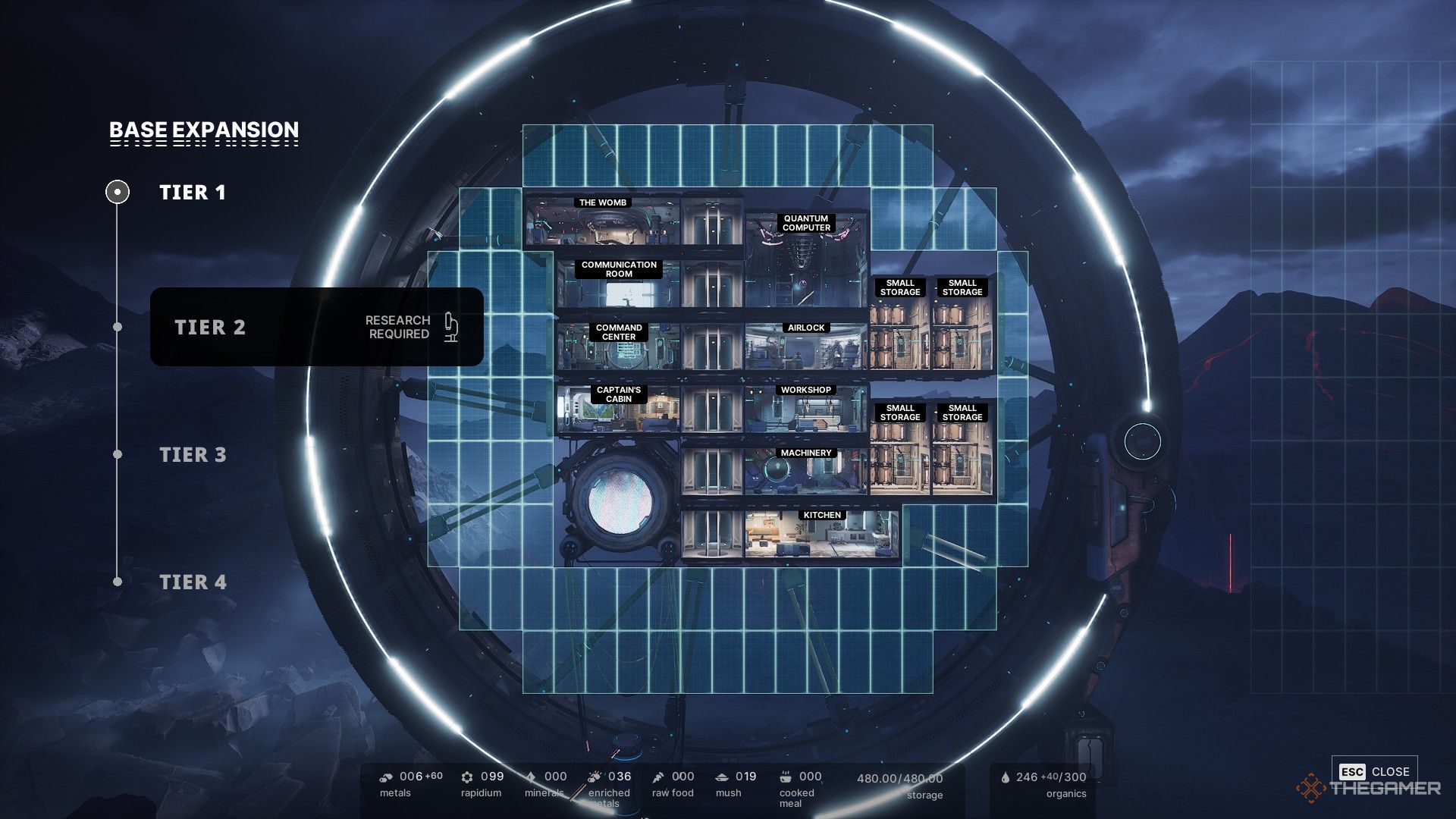
Rooms are arranged on a grid of rectangular tiles, but the base’s circular shape can complicate the layout. Each level has a different width, which can make fitting everything into the base a bit tricky.
Upgrading the Quantum Computer lets you research and create Base Expansions, providing more building space for your needs.
How to Connect Rooms
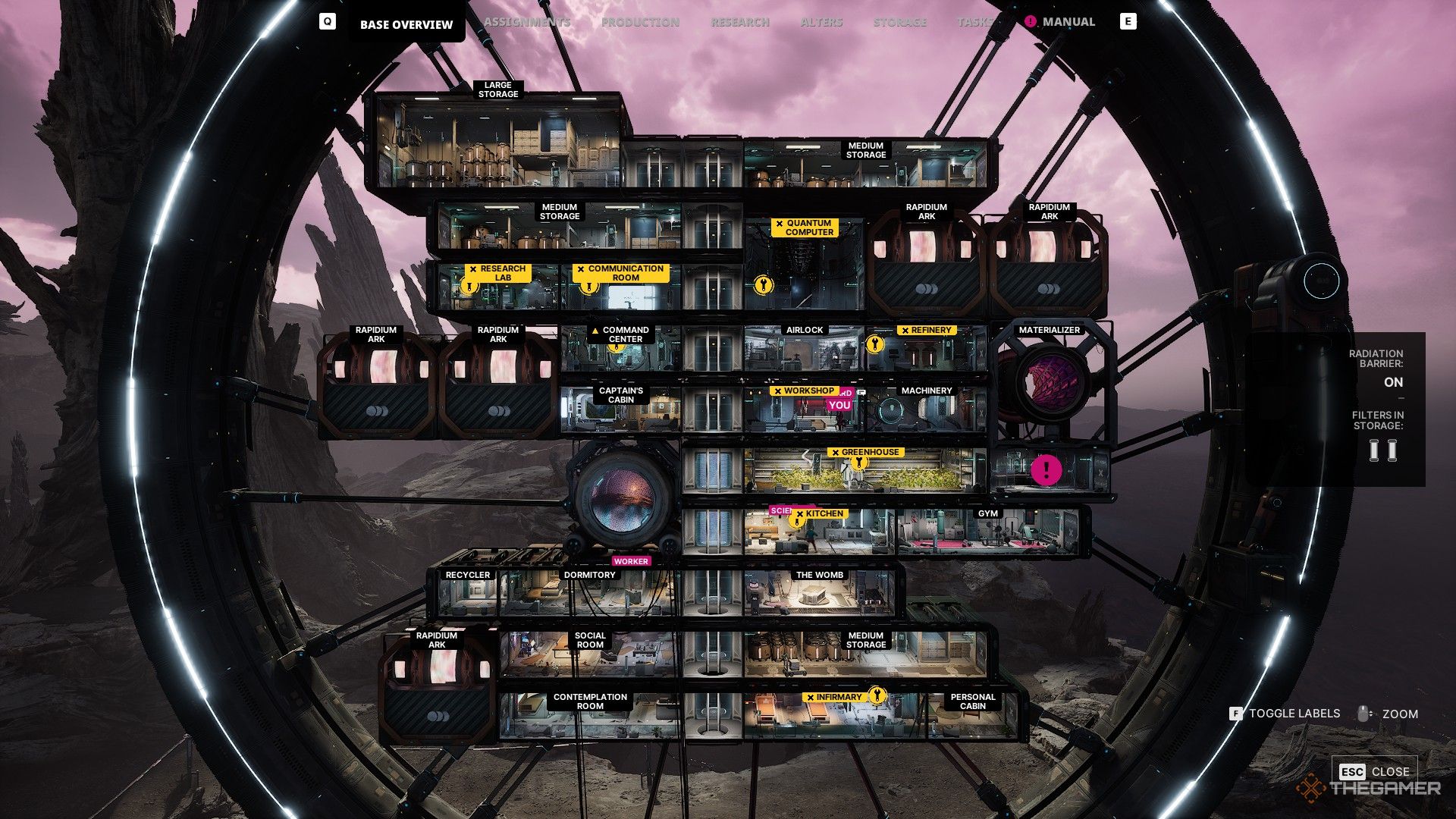
All rooms, regardless of size, must connect horizontally at their bottom right and left corners. This means that tall rooms like storage units and Rapidium Arks require higher ceilings. Every room needs to connect to the Airlock through Elevators, Corridors, or other rooms. If a room is not connected, it will look glitchy on the construction screen, and you can’t exit the editing mode until the unconnected rooms are remedied or removed.
Adding and Removing Rooms
To modify the base, use the left-hand console in the Command Center. This is where you can build new rooms, relocate existing ones, or completely remove them. When you remove a room, you will get back the resources you spent on that room, assuming there’s enough space in storage for them. If the room is damaged, the refund will be partial.
Given the constraints of the base’s grid and your storage capacity, it’s challenging to completely overhaul the base. Most of the time, you’ll be making gradual changes instead.
The engine, located slightly down and to the left from the center of the base, cannot be relocated, removed, or interacted with, and it has no doors. It’s essentially a permanent obstacle for construction, so you must build around it.
Total Mass of the Base
Each room increases the base’s total mass. At the end of Acts 1 and 2, you’ll need to activate the engines to move the base, which costs a number of Organics equal to the base’s mass. The heavier your base, the more fuel you’ll require.
You may end up making the base heavier than your fuel tank can hold. In this situation, you’ll need to remove some rooms or upgrade the base to a higher tier to expand your tank’s capacity.
All Room Modules in The Alters
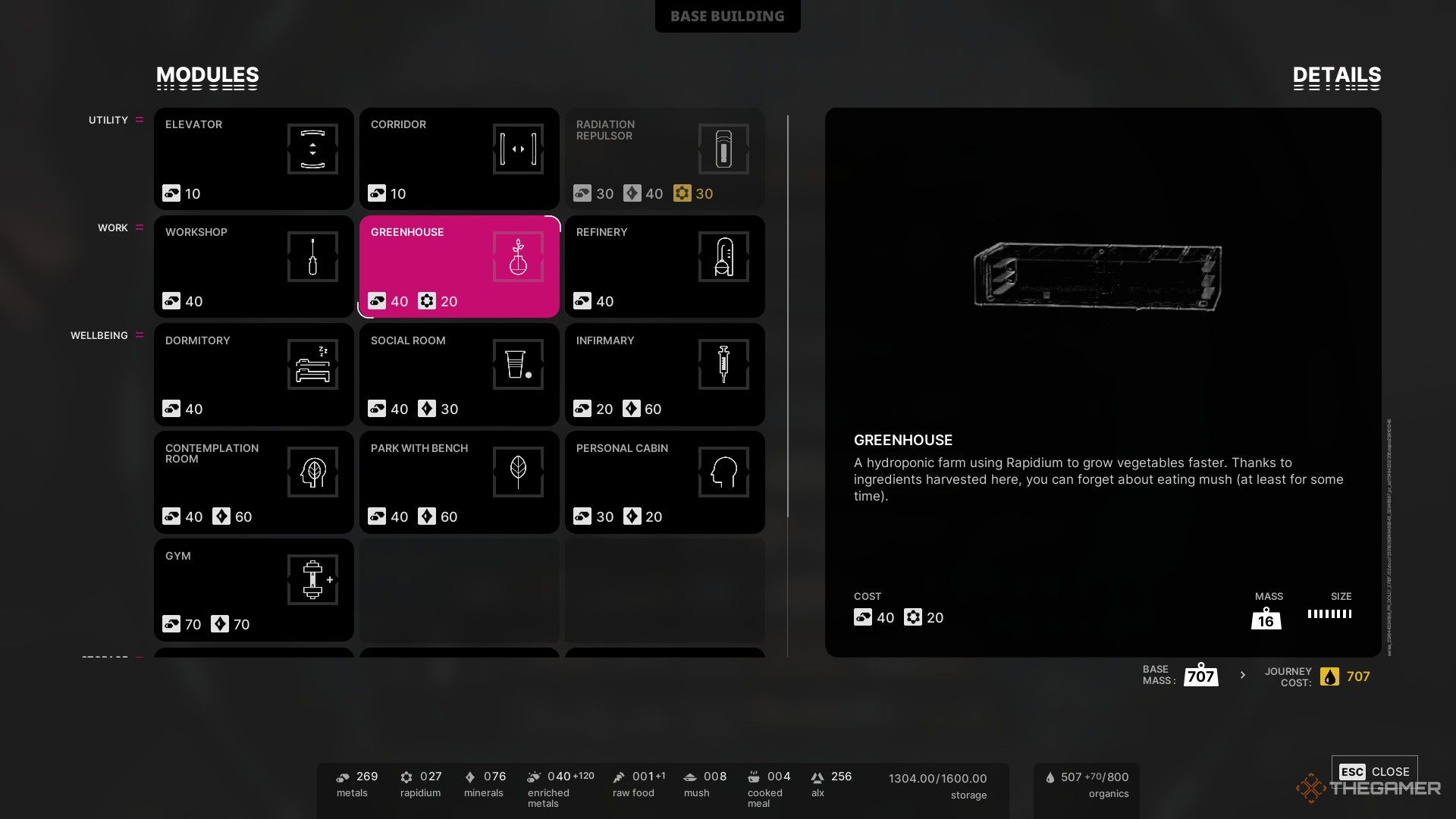
Here’s a breakdown of all rooms in The Alters along with their key statistics.
Essential Modules
These modules are either available at the start or are part of the tutorial. They are permanent additions to your base and provide critical infrastructure. While you can’t delete them, you can move them around as necessary.
|
Module |
Size |
Mass |
Description |
|---|---|---|---|
|
Airlock |
4×1 |
4 |
Allows characters to enter and exit the Base; cannot be removed. |
|
Captain’s Cabin |
4×1 |
4 |
Interact with the bed to end the day; cannot be removed. |
|
Command Center |
4×1 |
4 |
Change the base’s layout; cannot be removed. |
|
Communication Room |
4×1 |
4 |
Contact Ally Corp personnel; cannot be removed. |
|
Kitchen |
5×1 |
4 |
Prepare and consume meals; cannot be removed. |
|
Machinery |
4×1 |
4 |
Manages repair orders and replaces depleted Radiation Filters; cannot be removed. |
|
Quantum Computer |
4×2 |
8 |
Create new Alters and unlock tech tree tiers; cannot be removed. |
|
The Womb |
5×1 |
4 |
Alters awaken here 8 hours after creation from the Quantum Computer; cannot be removed. |
Storage & Utility Modules
These modules are vital for the base’s functionality and resource storage. While you cannot interact with them directly, they are essential.
|
Module |
Cost |
Size |
Mass |
Description |
|---|---|---|---|---|
|
Corridor |
10 Metals |
2×1 |
2 |
Connects rooms horizontally. |
|
Elevator |
10 Metals |
2×1 |
2 |
Connects to another Elevator above or below; the only way to travel between floors. |
|
Radiation Repulsor |
30 Metals, 40 Minerals, 30 Rapidium |
2×3 |
16 |
Slows the rate of Radiation Filter depletion. Stacking multiple can make Filters last indefinitely. |
|
Recycler |
30 Minerals |
2×1 |
2 |
Generates 5 Organics per day per crew member. |
|
Small Storage |
30 Metals |
2×2 |
28 |
Adds 120 to the base’s total storage capacity. |
|
Medium Storage |
60 Metals, 10 Minerals |
8×1 |
65 |
Adds 300 to the base’s total storage capacity. |
|
Large Storage |
150 Metals, 40 Minerals |
8×2 |
140 |
Adds 700 to the base’s total storage capacity. |
|
Rapidium Ark |
30 Metals, 100 Organics, 120 Rapidium |
4×2 |
32 |
Permanently stores Rapidium for transport to Earth, impacting the ending and Lucas’ opinion of you. You can only have one per Base Expansion (maximum five). |
Work Modules
These areas allow Alters to be assigned to produce the essential goods needed for survival and mission completion. Most of these can also be worked on manually.
|
Module |
Cost |
Size |
Mass |
Description |
|---|---|---|---|---|
|
Greenhouse |
40 Metals, 20 Rapidium |
8×1 |
16 |
Grow Raw Food that can be cooked in the Kitchen. Best suited for the Botanist. |
|
Refinery |
40 Metals |
4×1 |
8 |
Turn ALX and Enriched Metals into usable resources. Best suited for the Refiner. |
|
Research Lab |
40 Metals |
4×1 |
8 |
Only the Scientist can be assigned here to research new technologies. |
|
Workshop |
40 Metals |
4×1 |
8 |
Craft items according to the production queue. Best suited for the Worker. |
Well-being Modules
These modules are intended to maintain the mental and physical health of the Alters.
|
Module |
Cost |
Size |
Mass |
Description |
|---|---|---|---|---|
|
Contemplation Room |
40 Metals, 60 Minerals |
6×1 |
20 |
Up to 2 Alters can rest here to slowly improve their mood. The rate increases if a Guard or Shrink oversees them. |
|
Dormitory |
40 Metals |
6×1 |
8 |
Houses up to 4 Alters; those without beds face Morale loss and increased injury risk. |
|
Gym |
70 Metals, 70 Minerals |
6×1 |
20 |
Alters can exercise here to gradually boost their mood. |
|
Infirmary |
20 Metals, 60 Minerals |
6×1 |
16 |
Up to 2 Alters (or Jan Prime) can rest here to speed up recovery from injuries or radiation burns. Recovery is quicker if a Doctor is treating patients. |
|
Park With Bench |
40 Metals, 60 Minerals |
6×1 |
20 |
Alters can relax here to slowly improve their mood. You’ll need the holoprojector hidden in Act 2 to build this room. |
|
Personal Cabin |
30 Metals, 20 Minerals |
3×1 |
10 |
Provides a bed for one Alter, who receives a mood boost after sleeping here. |
|
Social Room |
40 Metals, 30 Minerals |
6×1 |
14 |
Alters can gather here to gradually enhance their mood. You can also play games or watch movies for larger boosts. |
Dealing with Damaged and Malfunctioning Rooms
Every room will wear down over time and will need repairs periodically. This process speeds up significantly if there’s no Radiation Filter in place. Additionally, rooms may suddenly become damaged during Magnetic Storms.
Damaged rooms might stop functioning entirely or may cause negative effects until repaired. For example, Alters can still sleep in a malfunctioning Dormitory but may get sick from smoke emitting from a broken AC unit. If too many rooms malfunction simultaneously, you’ll get a warning about the base’s poor condition; if additional rooms start to malfunction, you risk losing the entire base.
Repair Kits are essential for fixing damaged rooms, which can be done manually or assigned to an Alter. The Technician can perform this task fifty percent faster, making them an invaluable asset.
 ChatGPT
 Perplexity
 Gemini AI
 Grok AI