Select Language:
Quick Links
Bungie has completely revamped the interface of Destiny 2 with the new Edge of Fate expansion. The new system, called the Portal, has replaced the Director and organized various playlists to help players find activities with ease. Now, there’s no need to memorize each destination’s layout to locate an activity.
If you’re a newcomer or returning player to Destiny 2, the Portal system might seem a little overwhelming. Although it marks a significant change for the game, using this playlist system becomes straightforward once you understand its mechanics. In this guide, we’ll explore how the Portal operates, what each playlist offers, and give a brief overview of the new difficulty system.
What Is the Portal?
The Portal is a new starting point that takes over the role of the old Director map. From this Portal menu, you can access any activity in Destiny 2, whether it’s from the latest expansion or older content that has been brought back. However, keep in mind that not all older content is available; only selected activities are currently playable.
Upon launching Destiny, you will notice an “Open Portal” button replacing the old Director map. Clicking on it will reveal a menu filled with various options:
- Latest Expansion: Displays the most recent content update. Choosing this will guide you to that expansion’s location or, if it’s unavailable, the opening mission of the campaign.
- Playlists: There are four playlists to explore: Solo, Fireteam, Pinnacle, and Crucible.
- Seasonal Hub: This replaces the old Seasonal Challenges with listings of daily and weekly challenges that you can complete for rewards.
- Tower: This option takes you to the Tower, the central hub of Destiny 2.
If you’re new to Destiny 2, a good strategy is to start with the latest expansion and then grind one of the playlists for better gear. Expansions typically introduce new subclass features, types of gear, and titles. When your inventory is full, head over to the Tower to decode any Engrams you’ve obtained and stash any high-value items in your Vault.
Playlists
Experienced players might notice that significant activities—like Vanguard content, lost sectors, dungeons, and raids—are missing. They’ve been grouped into playlists that you can find at the bottom of the Portal interface. Now, activities in Destiny 2 are organized by playlist types.
|
Playlist |
Activities |
Notes |
|---|---|---|
|
Solo Ops ADVERTISEMENT |
Remixed versions of lost sectors, empire hunts, and strikes designed for solo play. |
|
|
Fireteam Ops |
Previously known as Vanguard Ops. Includes strikes, battlegrounds, empire hunts, and seasonal content. |
|
|
Pinnacle Ops |
Longer, non-matchmade activities. Includes Exotic missions and challenging seasonal content like The Coil. |
|
|
Crucible |
Player vs. player (PvP). Trials of Osiris and Iron Banner are included in this playlist. |
|
When you enter the Portal, selecting a playlist will show you a grid of available missions. Choosing an activity will set up a matchmaking lobby and, if relevant, a difficulty card that you can adjust before starting. We’ll go more in-depth about difficulty modifiers in the next section.
For most players, Fireteam Ops is where you’ll want to be. This playlist includes almost all matchmade content in Destiny 2 accessible for players of all skill levels, covering strikes, battlegrounds, and earlier seasonal activities like Savathun’s Spire. The available seasonal content will shift with each quarterly update.
All four playlists offer rewards related to the completed activity. For instance, completing the Crucible playlist grants PvP gear as its reward. Completion rewards always translate to Power increases for your character, so feel free to grind through any playlist, as there is no more weekly time limitation.
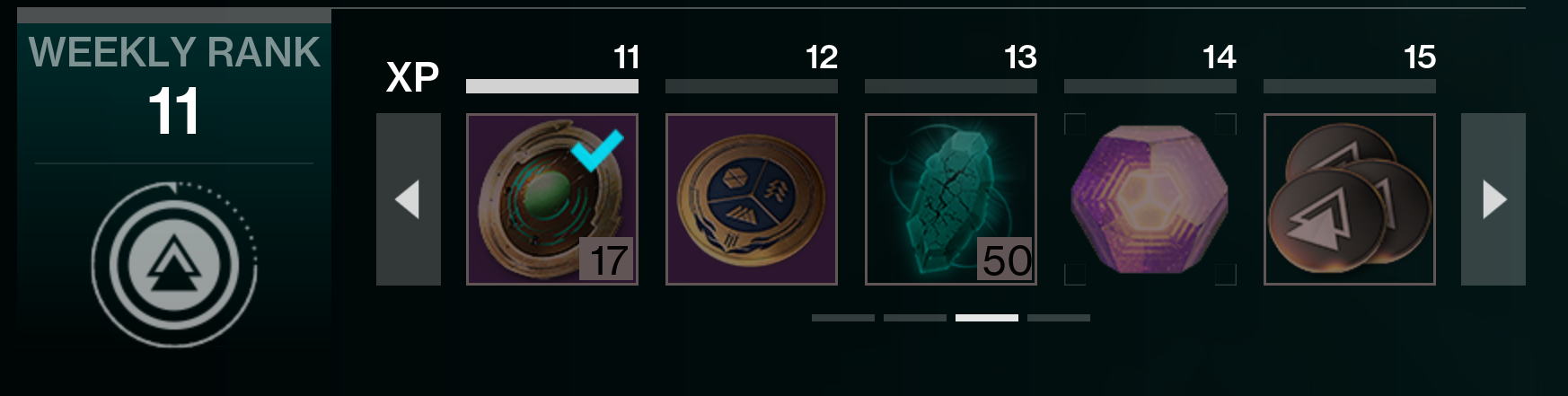
Finishing daily and weekly challenges under the “Seasonal Hub” section of the Portal grants account rewards, including Strange Coins, Seasonal Gear Engrams, and tokens for redemption at Zavala.
The reward system resets weekly, replacing the previous Seasonal Challenge framework.
Where Can I Find Raids and Dungeons?

Currently, raids and dungeons aren’t linked to any playlist at the launch of the new system. It’s likely they will be included in the Pinnacle Ops playlist later on. For now, you can find dungeons and raids at their specific locations on the “World” map, which was previously known as the Director. If you are a new or returning player, the activities can be located in the destinations outlined below.
|
Destination |
Raids |
Dungeons |
|---|---|---|
|
Moon |
||
|
Savathun’s Throne World |
|
|
|
Cosmodrome |
||
|
Neomuna |
||
|
Pale Heart |
||
|
Europa |
||
|
Dreaming City |
||
|
Legends |
|
|
Difficulty Modifiers

Almost every activity in the Portal menu offers difficulty modifiers, excluding PvP. This optional difficulty system enables you to adjust Power Levels, bonuses, and penalties throughout the activity. By adding these modifiers, you can aim for a higher score, which will translate into better rewards. Higher scores yield higher-quality loot, including items of greater gear tiers and additional drops.
Before starting an activity, click the “Customize” button to access the difficulty modifiers page. From there, you can set your Power deficit to establish the primary score for the activity. You can adjust this using Challenge Modifiers and Boon & Event Modifiers. Using these tools effectively can boost your score and enhance the quality of the loot. A more detailed guide on the difficulty system is on its way, so stay tuned for more information.
 ChatGPT
 Perplexity
 Gemini AI
 Grok AI