• About Us
  • Contact Us
  • Advertise
  • Privacy Policy
  • Guest Post
No Result
View All Result
Digital Phablet
  • Home
  • NewsLatest
  • Technology
    • Education Tech
    • Home Tech
    • Office Tech
    • Fintech
    • Digital Marketing
  • Social Media
  • Gaming
  • Smartphones
  • AI
  • Reviews
  • Interesting
  • How To
  • Home
  • NewsLatest
  • Technology
    • Education Tech
    • Home Tech
    • Office Tech
    • Fintech
    • Digital Marketing
  • Social Media
  • Gaming
  • Smartphones
  • AI
  • Reviews
  • Interesting
  • How To
No Result
View All Result
Digital Phablet
No Result
View All Result

Home » Completing All Methods to Solve Wanted Status in Assassin’s Creed

Completing All Methods to Solve Wanted Status in Assassin’s Creed

Emily Smith by Emily Smith
March 25, 2025
in Gaming
Reading Time: 2 mins read
A A
Completing All Methods to Solve Wanted Status in Assassin's Creed
ADVERTISEMENT

Select Language:

Assassin’s Creed Shadows focuses heavily on combat, meaning you’ll be taking down plenty of guards and samurai as you progress through the narrative. In the latter part of the game, if you eliminate a significant number of enemies in a specific area, you could end up with a bounty on your head.

ADVERTISEMENT

When you’re marked as wanted, adversaries will attack you on sight, day or night. This can make exploring tricky, especially when you’re trying to move stealthily. Fortunately, there are some strategies to shed your wanted status and freely enjoy the stunning environments.

Change the Season

One effective way to clear your wanted status is to change the season. Whenever the season shifts in the game—either automatically or through your actions—all regional alerts will be cleared.

To do this, pause the game and access the inventory screen, where you’ll find a season progress indicator in the top right corner. While you’re amidst a quest, you won’t have the option to change the season. However, if you can, hold the right button on the d-pad to initiate a season change. This will erase all wanted notices. If you can’t change it yourself, just continue playing; the game typically shifts seasons every few quests.

ADVERTISEMENT

It’s important to note that wanted statuses apply only to specific regions. If you’re tired of being attacked everywhere, consider moving to a different area on the map.

Remove Wanted Status with Scouts

Another way to eliminate your wanted status involves some preparation. You need to upgrade your Kakurega in your Hideout to level two first. This enhancement enables you to use scouts to "clear regional alerts." The upgrade requires:

  • 580 Crops
  • 440 Wood
  • 150 Minerals

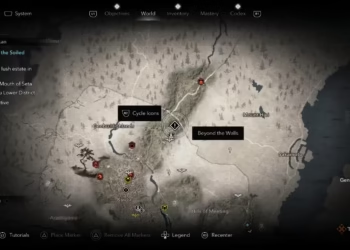
After upgrading, open the map and hover over the region where you’re marked. Then, press X on PlayStation or A on Xbox to remove the wanted alert using a scout. This allows you to avoid waiting for the season to change.

ChatGPT ChatGPT Perplexity AI Perplexity Gemini AI Logo Gemini AI Grok AI Logo Grok AI
Google Banner
Tags: Assassin's CreedRemoveShadowsTriple-A Gameswanted status
ADVERTISEMENT
Emily Smith

Emily Smith

Emily is a digital marketer in Austin, Texas. She enjoys gaming, playing guitar, and dreams of traveling to Japan with her golden retriever, Max.

Related Posts

How to Begin & Complete the Attack on Titan Crossover Quest in Assassin's Creed Shadows
Gaming

How to Begin & Complete the Attack on Titan Crossover Quest in Assassin’s Creed Shadows

November 27, 2025
How to Claim All Rewards in The Sims 4 Forever Friends Completing Event
Gaming

How to Claim All Rewards in The Sims 4 Forever Friends Completing Event

September 24, 2025
Gaming

Where to Find All Vault Key Fragments in Borderlands 4 for Completing and Solving

September 24, 2025
How to Restore Power in Dying Light: The Beast by Completing the Puzzle
Gaming

How to Restore Power in Dying Light: The Beast by Completing the Puzzle

September 24, 2025
Next Post
high tech 5157719 960 720.jpg

DeepSeek Quietly Announces Minor Update, Reaches R1 Level at 80% Off

  • About Us
  • Contact Us
  • Advertise
  • Privacy Policy
  • Guest Post

© 2025 Digital Phablet

No Result
View All Result
  • Home
  • News
  • Technology
    • Education Tech
    • Home Tech
    • Office Tech
    • Fintech
    • Digital Marketing
  • Social Media
  • Gaming
  • Smartphones

© 2025 Digital Phablet