Select Language:
In Dune: Awakening, players venture through the vast deserts of Arrakis, collecting resources, establishing bases, and participating in fierce PvP battles. The game features a continuous world that supports large-scale gameplay but also caters to those looking for more intimate experiences with friends.
If you want to create a more personalized space for you and your group, renting a private server is the best option. Unlike many PC-based private servers, Dune: Awakening requires you to rent servers through certified hosting partners. This guide will help you understand how to set up your own private server in the game.
What Is A Private Server In Dune: Awakening?
Dune: Awakening stands out from other survival games in that it does not allow players to host private servers on their own computers. Instead, you are required to rent a server through an approved hosting company.
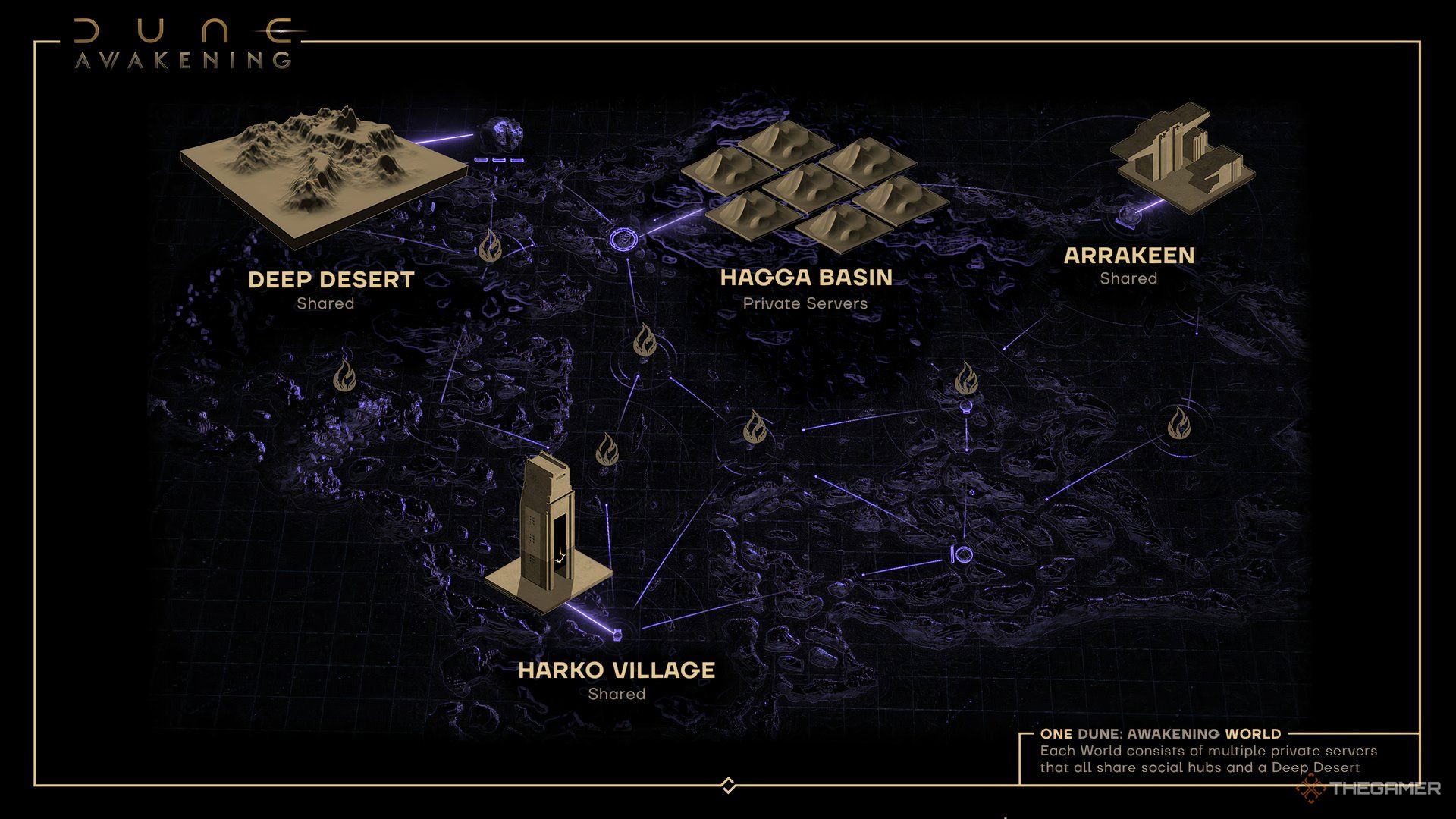
When you create a private server, the only completely private and customizable area is the Hagga Basin map. Other areas, like hubs and the Deep Desert, are shared among different private servers. Access to the Hagga Basin is restricted to those with your server’s password, where you can build, gather spice, and engage in PvP (if turned on).
Your basin may connect to shared areas in some parts, but this is where you have true ownership and influence.
Shared zones are not governed by players; they are managed by the hosting provider to ensure that every server in the world stays connected.
You can easily switch between shared areas using the server selection menu. If you have a password, you can enter other servers, where your character, equipment, and progress will transfer. Unlike on official servers, you can even claim land on the servers you visit.
Upon entering a new private server, you’ll start at the Griffin’s Reach trade station, ready for exploration and engagement just like you would on your primary server.
Private Server Details and Limitations
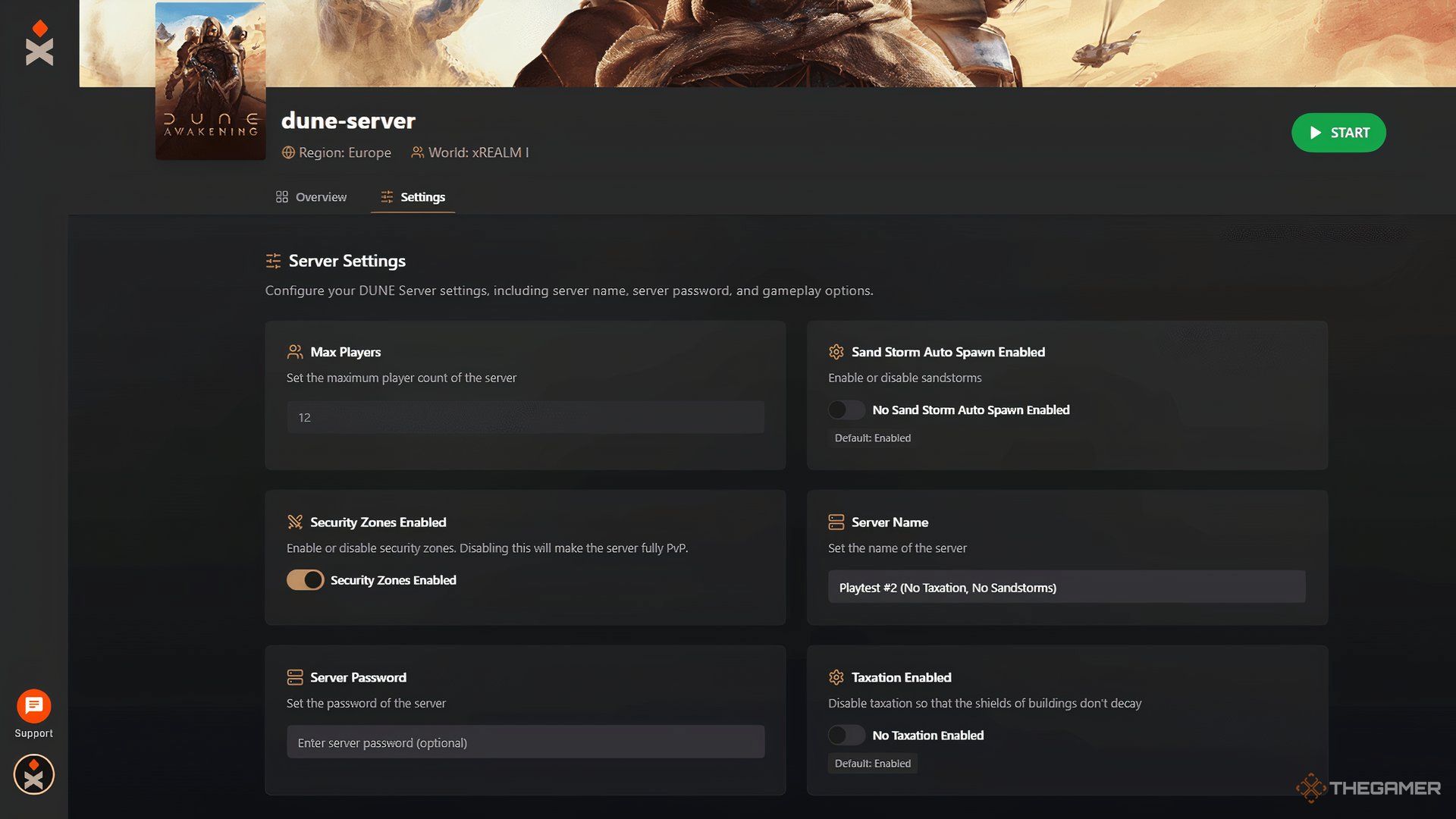
Private, rented servers offer some degree of customization, but they are not as flexible as those in Funcom’s Conan Exiles or other survival MMOs. Instead, the game adopts a hybrid system that allows communities to control specific settings while remaining connected to the larger multiplayer environment.
This setup provides a private experience while retaining the social and dynamic aspects of an MMO.
|
Feature |
What You Can Do |
Limitations |
|---|---|---|
|
Security Zones |
Disable or modify PvP zones in Hagga Basin |
Cannot control PvP behavior outside of Hagga Basin. |
|
Taxation |
Enable or disable server taxes for shields/building costs. |
No adjustments to overall economy, vendor prices, or resource yield. |
|
Sandstorms |
Option to turn off hazardous storms in Hagga Basin. |
Cannot modify climate or weather outside your basin. |
|
Player Count |
Host up to 40+ players in your own Hagga Basin. |
Shared areas remain global, unaffected by your basin’s settings. |
|
Cross-Server Travel |
Visit other basins, sharing your world, using a password, and carry your character and build. |
Cannot access official public servers, only other private basins in your world. |
|
Land Claiming |
Free to stake a claim in any private basin, unlike public servers. |
Cannot transfer bases or buildings between different worlds. |
|
Character Persistence |
Your character data is linked to the world. |
Canceling your world means your character and progress are erased. |
How To Rent And Host A Private Server
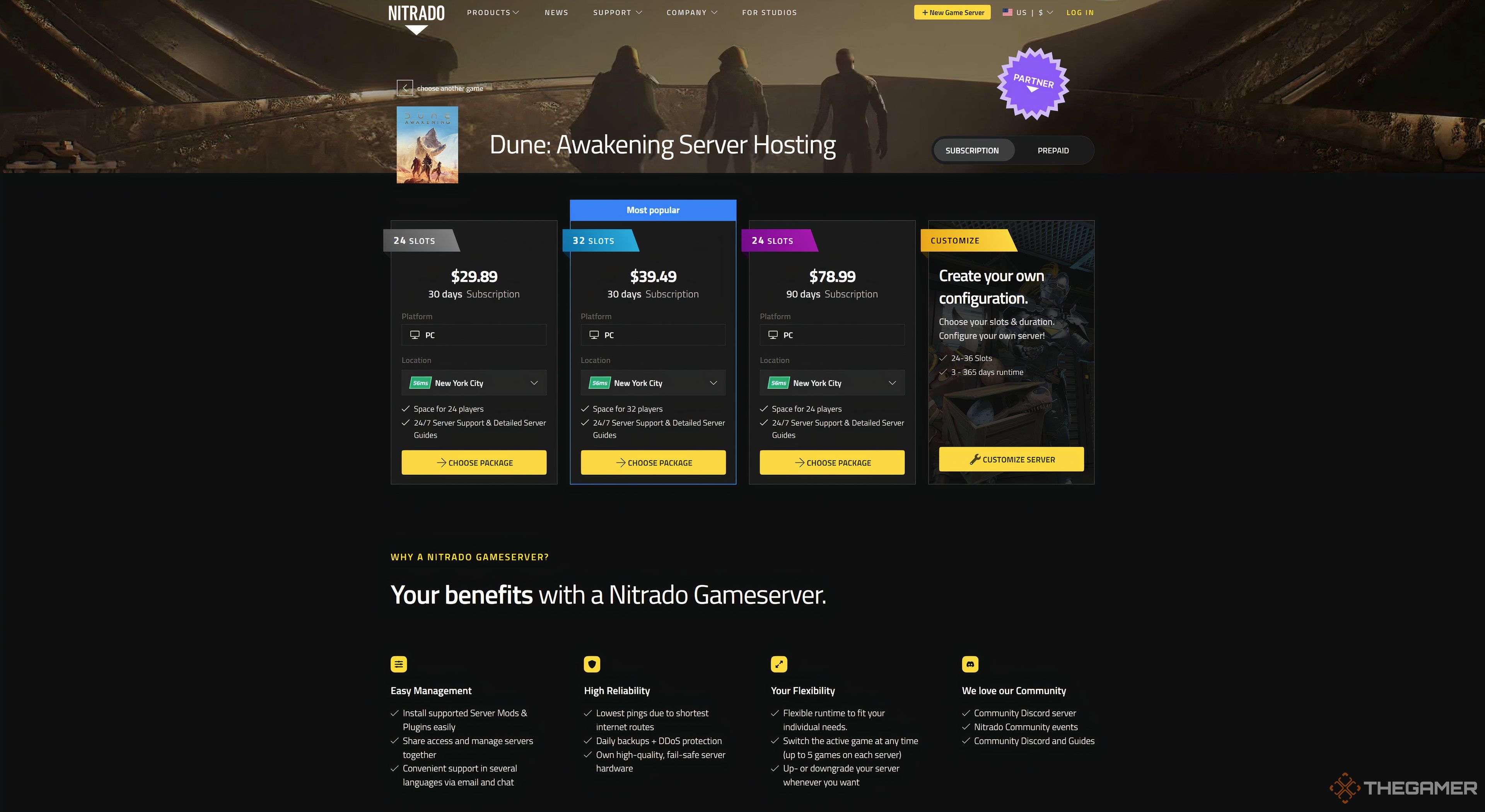
To rent your server, you can choose from approved hosting companies like GPORTAL, Nitrado, or xREALM. You’ll decide how many player slots you need, as well as a server “world,” which dictates shared access to common regions like social hubs and the Deep Desert.
Once your server is set up, you control the basic features and even get to name it and set a password for access.
Keep in mind that private servers do not currently include an admin control panel, and permanent character transfers between worlds are not supported.
Setting up a private server is straightforward through these official providers. Visit the website of one of the approved providers and select the plan that fits your needs:
- GPORTAL offers plans starting at approximately $11.50 for six slots over 30 days.
- Nitrado provides subscription or prepaid options, around $30 for 24 slots and $40 for 32 slots for 30 days.
- xREALM has plans for six to 24 slots ranging from $15 to $30 per month, with options for more RAM.
Most private servers come with SSD storage, DDoS protection, user-friendly control panels, and 24/7 support. Setup is quick, and pricing is based on the number of slots. Choose a provider that suits your location, support needs, hardware preferences, and budget.
 ChatGPT
 Perplexity
 Gemini AI
 Grok AI