Select Language:
Marathon is finally available, giving players a chance to earn rare and valuable loot while focusing on their favorite Shells and Factions. Surviving the harsh, desolate, and dangerous areas is challenging enough, but leveling up Factions to unlock more items in the Armory and powerful upgrades is an added bonus.
To level up Factions quickly, you need to complete Faction Contracts, which can initially seem confusing and overwhelming. But with a few helpful tips, you’ll be completing objectives and gaining Faction Reputation in no time.
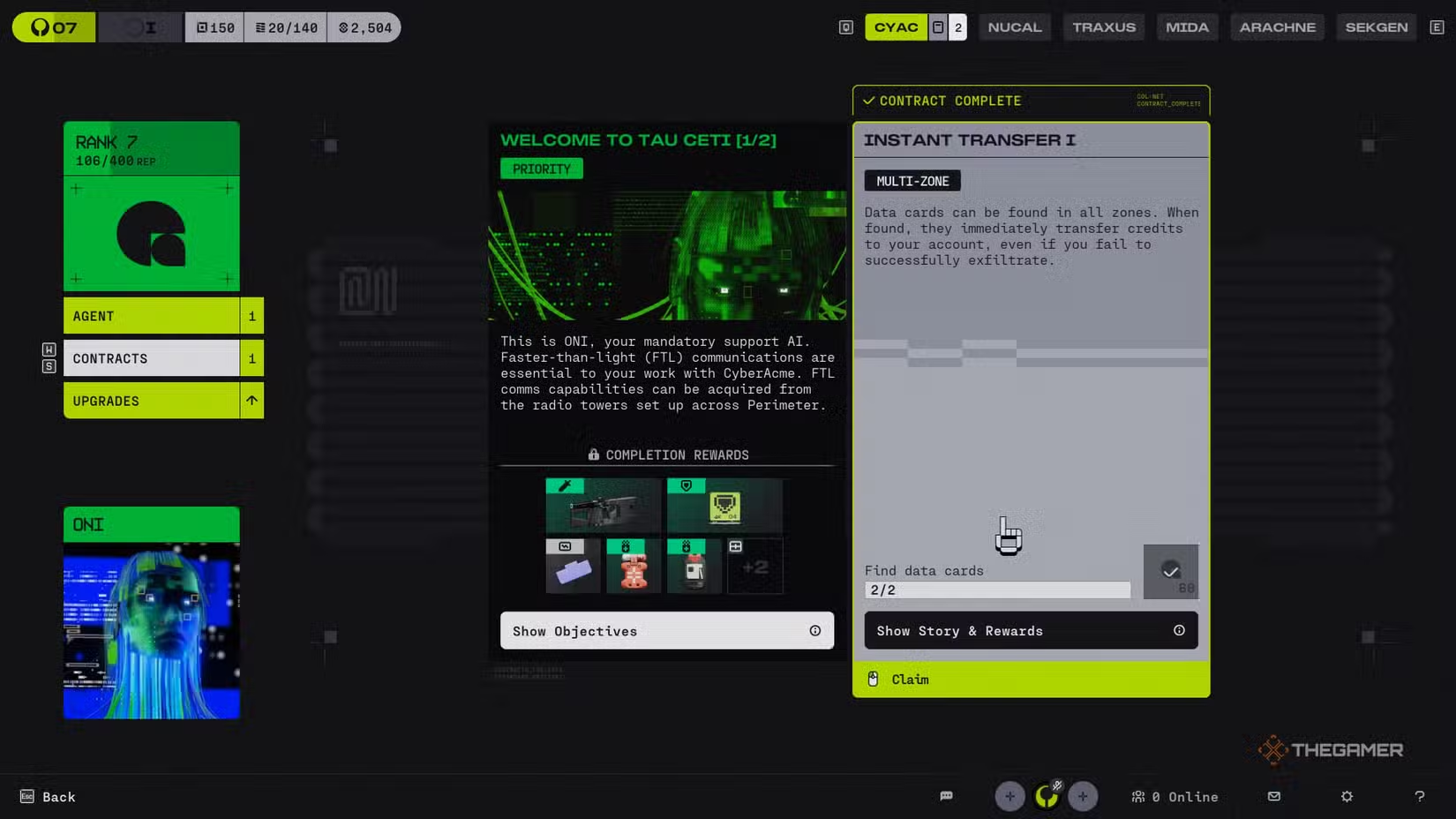
When you start your intense journey in Marathon, you’ll only have access to one Faction: CyberAcme (CyAc), led by the AI ONI. From there, you can accept and complete Contracts to earn Faction Reputation and other rewards, such as Credits, weapons, armor, and bundles.
To view your Faction Contracts, go to the main menu and select the “Factions” option. Then click on the CyAc icon to open its main page. On the left side, click the “Contracts” tab to see all available contracts. There should be two: one highlighted with a bright green border on the left, and another unhighlighted on the right. The highlighted contract is your “Main Quest” — focus on completing it early because it’s how you’ll unlock more Factions.
You can reroll the non-highlighted contracts up to ten times each week if you’re not satisfied with them. However, the main contracts cannot be rerolled, as they are crucial to your progress. If a contract seems too cumbersome or offers poor rewards, reroll it to receive a different one.
To locate objectives within contracts, after selecting one to complete, you’ll load into a zone. Sometimes objectives like “Loot a Tool Cart” aren’t marked clearly on the map. You can try hovering over the objective text for additional info, which may include the region to find it in. If that’s not enough, open your map, hover over a region, and click “More Info.” A box will appear, showing what items are guaranteed or sporadic in that area. For Tool Carts, the Station region in the Perimeter zone often guarantees the item, so heading there increases your chances.
Note: The Rook Runner Shell cannot complete Contracts, so use one of the six default Shells or a Sponsored Kit if you want to avoid risking your loot during tougher objectives.
When you finish all the objectives, you can turn in your contract either after successfully exfiltrating or upon your character’s demise. Return to the Faction Contract page, select the completed contract, and click to turn it in. You’ll earn Faction Reputation and rewards, then you can start again with new contracts.
Gaining Reputation with a Faction is key to unlocking upgrades like faster looting, increased heat resistance, and access to rarer gear in the Faction’s Armory. There are six Factions in total, each with plenty of content and upgrades to unlock, so the grind is worth it.
You can preview the rewards and lore for each Contract before accepting by hovering over it and selecting “Show Story & Rewards,” giving you a better idea of what you’ll earn. Remember, you have ten rerolls per week to find contracts that suit your playstyle best.
 ChatGPT
 Perplexity
 Gemini AI
 Grok AI