• About Us
  • Contact Us
  • Advertise
  • Privacy Policy
  • Guest Post
No Result
View All Result
Digital Phablet
  • Home
  • NewsLatest
  • Technology
    • Education Tech
    • Home Tech
    • Office Tech
    • Fintech
    • Digital Marketing
  • Social Media
  • Gaming
  • Smartphones
  • AI
  • Reviews
  • Interesting
  • How To
  • Home
  • NewsLatest
  • Technology
    • Education Tech
    • Home Tech
    • Office Tech
    • Fintech
    • Digital Marketing
  • Social Media
  • Gaming
  • Smartphones
  • AI
  • Reviews
  • Interesting
  • How To
No Result
View All Result
Digital Phablet
No Result
View All Result

Home » Google AI: Overview of Overlay Testing and Bottom Tray

Google AI: Overview of Overlay Testing and Bottom Tray

Maisah Bustami by Maisah Bustami
August 19, 2025
in Digital Marketing
Reading Time: 1 min read
A A
Google AI: Overview of Overlay Testing and Bottom Tray
ADVERTISEMENT

Select Language:

Google AI Overviews now features a bottom tray design that allows users to interact with selected text in a more streamlined way. When a user highlights text, options such as “Explain this,” “Related images,” and “Copy text” appear in a tray at the bottom of the screen. These options provide quick access to further explanations, relevant visuals, or text copying without navigating away from the current page.

ADVERTISEMENT

While these options aren’t new, the novel aspect is the bottom tray interface, which consolidates interactions into a single, persistent area. Clicking “Explain this” or “Related images” loads the results directly within the tray instead of redirecting to a different page or opening a new window. This approach enhances usability by keeping the user’s focus intact and reducing unnecessary page loads.

Screenshots capture the tray with the “Explain this” and “Related images” options active, illustrating how the results are displayed within the same bottom panel. For instance, clicking “Explain this” reveals an explanatory overlay, which expands in the tray below, providing immediate contextual information. This shift toward an integrated, modal-like experience was initially observed as far back as May, with evidence of similar features being tested on mobile devices earlier this year.

This development signifies a move toward more interactive and user-friendly search results, emphasizing convenience and faster access to information directly within the search interface.

ChatGPT ChatGPT Perplexity AI Perplexity Gemini AI Logo Gemini AI Grok AI Logo Grok AI
Google Banner
ADVERTISEMENT
Maisah Bustami

Maisah Bustami

Maisah is a writer at Digital Phablet, covering the latest developments in the tech industry. With a bachelor's degree in Journalism from Indonesia, Maisah aims to keep readers informed and engaged through her writing.

Related Posts

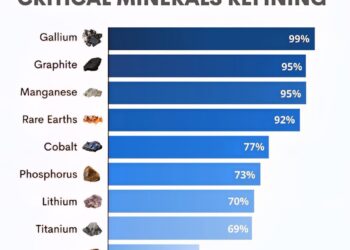
China's Share of Global Refining Capacity

1.  Gallium - 99%
2.  Graphite - 95%
Infotainment

Top Countries Leading Global Refining Capacity in Gallium and Graphite

March 3, 2026
How to Fix GitHub PR Review Request Link Issue
How To

How to Fix GitHub PR Review Request Link Issue

March 3, 2026
Anahid Fayyad's Colleague Reveals Reason Behind Son's Suicide
Entertainment

Anahid Fayyad’s Colleague Reveals Reason Behind Son’s Suicide

March 3, 2026
UAE Leaders Hold Dubai Iftar to Promote Unity and Resilience
News

UAE Leaders Hold Dubai Iftar to Promote Unity and Resilience

March 3, 2026
Next Post
Meitu's First-Half Profit Surges Past 2023 Full-Year on AI Subscription Boom

Meitu's First-Half Profit Surges Past 2023 Full-Year on AI Subscription Boom

  • About Us
  • Contact Us
  • Advertise
  • Privacy Policy
  • Guest Post

© 2026 Digital Phablet

No Result
View All Result
  • Home
  • News
  • Technology
    • Education Tech
    • Home Tech
    • Office Tech
    • Fintech
    • Digital Marketing
  • Social Media
  • Gaming
  • Smartphones

© 2026 Digital Phablet