Select Language:
With a plethora of AI chatbot extensions available for Google Chrome, it can be quite a challenge to find one that stands out among the less effective tools. To simplify this task, I’ve tested four of the most popular AI chatbot extensions to identify the best option.
The AI Chatbot Extensions I Explored
I evaluated the Monica, Merlin, and ChatGPT Sidebar extensions for Chrome, all of which boast millions of users and impressive ratings of 4.8 to 4.9 out of 5 stars. I also included Perplexity AI since I enjoyed its chatbot interface and wanted to see how its extension fared. Before installing any, I ensured that each of these extensions is safe and legitimate, confirming that they’re secure to use. Ultimately, this gives us four extensions to examine and compare.
Head-to-Head Comparison of AI Chatbot Extensions
To find the best AI chatbot extension, I compared them based on features, user-friendliness, and overall performance. It’s important to note that each of these tools also includes a fully functional web app, which I did not consider in my assessment of the extensions. Therefore, features that necessitate visiting the chatbot’s website are excluded.
Additionally, the output quality and speed of these tools heavily depend on the specific AI model they use, which does not directly reflect the extension’s efficiency. Instead, my evaluation focused on the AI models supported and the number of queries allowed for both basic and advanced models.
| Extension | Features | Ease of Use | Performance |
|---|---|---|---|
| Perplexity AI | Quick and lightweight; offers instant page summaries and real-time Q&A. | User-friendly interface with easy toolbar integration. | Unlimited queries using real-time web search and Claude 3 Haiku for fast, accurate answers; ideal for brief inquiries. |
| Monica | All-in-one extension with a wide range of features: chat, search, writing aid, file uploads, translation, and creative tools like image/video generation. | The UI can be overwhelming for newcomers but becomes easier with customized setup and keyboard shortcuts. | Unlimited queries on popular basic models such as DeepSeek R1 (small), GPT-4o mini, and Gemini 2.0 Flash; does not offer free credits for premium models. |
| Merlin | A curated set of productivity-enhancing features, focused on quick responses and content summarization. | Simple interface prioritizing quick access to AI help; while effective, it may feel slightly outdated. | Offers 100 free credits daily; although it lacks the latest models like DeepSeek and GPT-o1, it provides credits for more advanced models like GPT-4o and Claude 3 Sonnet. Great for research and coding tasks. |
| ChatGPT Sidebar | Comprehensive suite of AI features including web search, chat, translation, file conversions/uploads, and media generation. | Clean layout with easy navigation for basic features; advanced functions are accessible from the sidebar. | Limited to 30 credits daily; no free credits for popular advanced models. |
Examining Each Extension
Perplexity AI
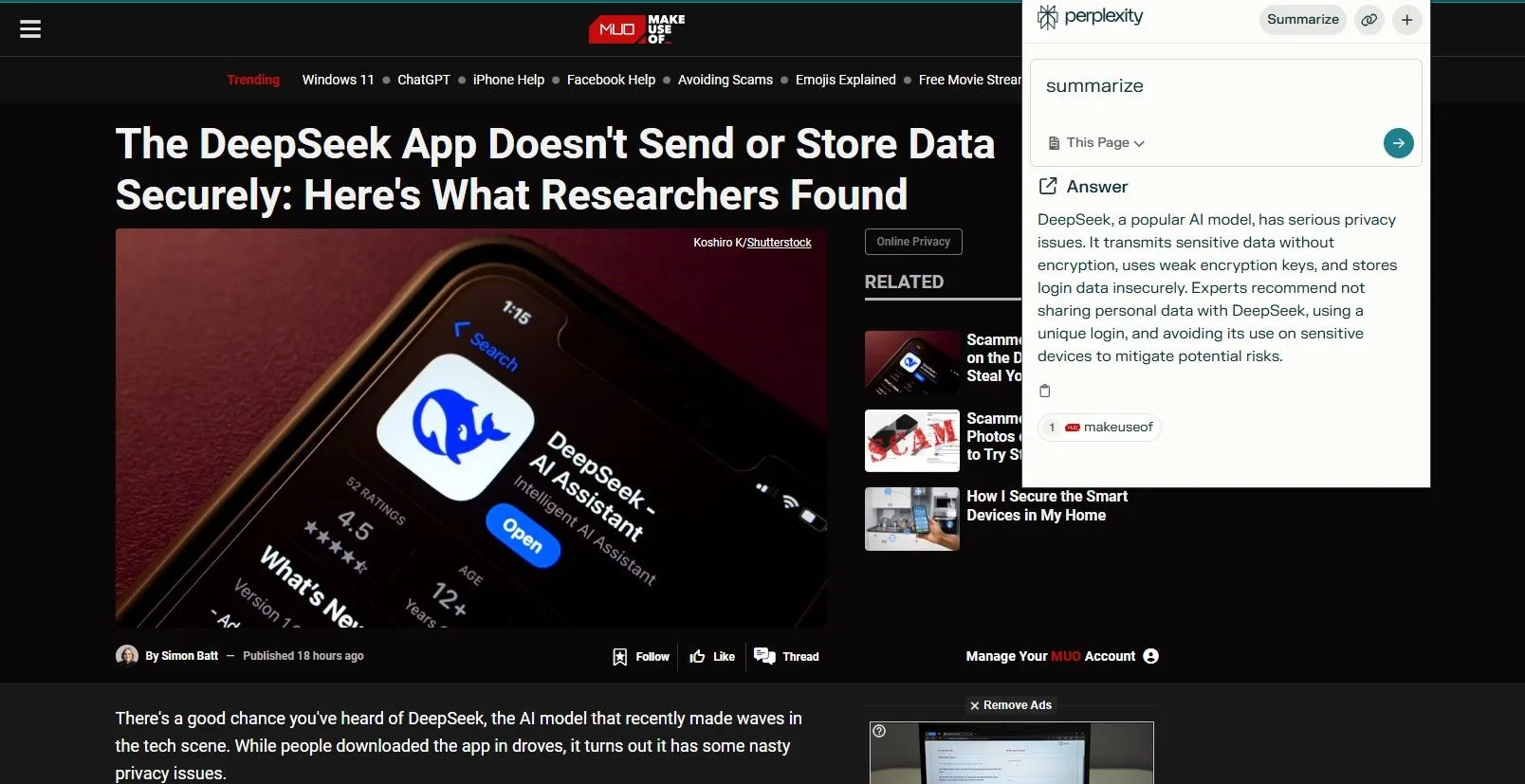
Perplexity AI emerges as the most straightforward extension. Users can either ask a question or request a summary. I particularly appreciate its focus feature, which allows you to choose the source for your answers: the current page, an entire site, or the broader internet.
Monica
Monica adopts a vastly different approach, functioning more like a full-fledged application rather than merely an extension. It is the most versatile option, featuring capabilities such as writing assistance, search, translations, and even media generation. Its contextual memory, file uploads, live voice features, real-time search, and options to choose popular AI models enhance its functionality. The ability to use basic models like GPT-4o mini and others without restrictions is a standout feature for me.
Despite its extensive features, Monica can feel overly complex for beginners. However, the inclusion of keyboard shortcuts and preference settings alleviates some of the confusion in the long run.
Merlin
Merlin strikes a balance between the simplicity of Perplexity and the extensive features available in Monica. Its intuitive design made my experience enjoyable, allowing me to boost productivity right from my browser. That said, its limitation of 102 credits per day can be cumbersome, especially when advanced models like GPT-4o require significantly more credits.
ChatGPT Sidebar
ChatGPT Sidebar offers a similar feature set to Monica but presents it in a more organized manner. My main concern is its low daily credit limit of 30, which feels restrictive given the demands of smaller models like GPT-4o mini. While it allows access to advanced models at a cost per query, its overall free limitations make it less appealing compared to the other options.
Conclusion: The Top Chrome AI Chatbot Extension
Amid countless AI extensions designed to enhance productivity, my testing leads me to conclude that Monica reigns as the best AI chatbot extension for Chrome. It delivers an exceptional range of features and performance without necessitating a paid subscription or credit monitoring. Though I find its interface a bit cluttered, the volume of features and the flexibility of its free AI models allow for much greater functionality than any of the other extensions tested.
While ChatGPT Sidebar impresses with its user-friendly design, its restrictions on daily credits are a significant drawback. Merlin is a stronger option for free users, offering more credit for basic AI models without sacrificing essential features. For those considering a paid experience, the ChatGPT Sidebar may be the most worthwhile investment among the four.
For users already subscribed to premium AI services like ChatGPT Plus, it may be more practical to use the web app directly, paired with the Perplexity AI extension for quick queries and summaries. Personally, I plan to stick with Monica as my versatile, all-in-one AI extension for Chrome.
 ChatGPT
 Perplexity
 Gemini AI
 Grok AI