Select Language:
Virtual meetings can often descend into chaos, resulting in overlooked tasks, confusing notes, and unproductive time. However, Krisp can transform this experience. This AI-driven meeting assistant is packed with features designed to enhance productivity and streamline your online collaboration, entirely free of charge.
5
Enjoy Crystal-Clear Audio with AI Noise Cancellation
Background sounds during remote meetings can be incredibly distracting, especially when you’re striving to keep your attention on crucial discussions. That’s where Krisp comes into play, offering a desktop solution for both Mac and Windows users.
Krisp generates virtual audio devices, including Krisp Microphone and Krisp Speaker, on your computer. This method is especially effective as it seamlessly integrates with nearly any video conferencing application. Simply select these virtual devices in your meeting app’s settings, and you’re all set.
The free plan provides 60 minutes of noise cancellation each day, which is generally enough for my standard meeting requirements. In my experience, it has effectively blocked out distractions like traffic noise, typing sounds, the hum of computer fans, and ambient chatter from other participants.
If your daily meeting schedule exceeds the one-hour limit, Krisp offers a Pro plan starting at $8 per month with an annual subscription. While the free plan meets my needs, the extended coverage might be worth considering for those with back-to-back meetings.
4
Concentrate on the Discussion, Not Just Note-Taking
Detailing notes during meetings often leads to missing key points in the discussion. Krisp’s integrated AI note-taking feature records every detail while you engage fully with your colleagues.
Unlike some meeting assistants that require bots to join your calls—which can be intrusive—Krisp works quietly in the background. It captures and documents your meetings without being overtly present. The best part? This feature is entirely free, making it accessible for everyone on your team.
Krisp provides flexible recording options according to your requirements. You can select transcription, audio recording with transcriptions, or even screen capture during meetings—though screen recording is available exclusively to Pro and Business subscribers. All recordings and transcriptions are securely saved in the cloud for later access.
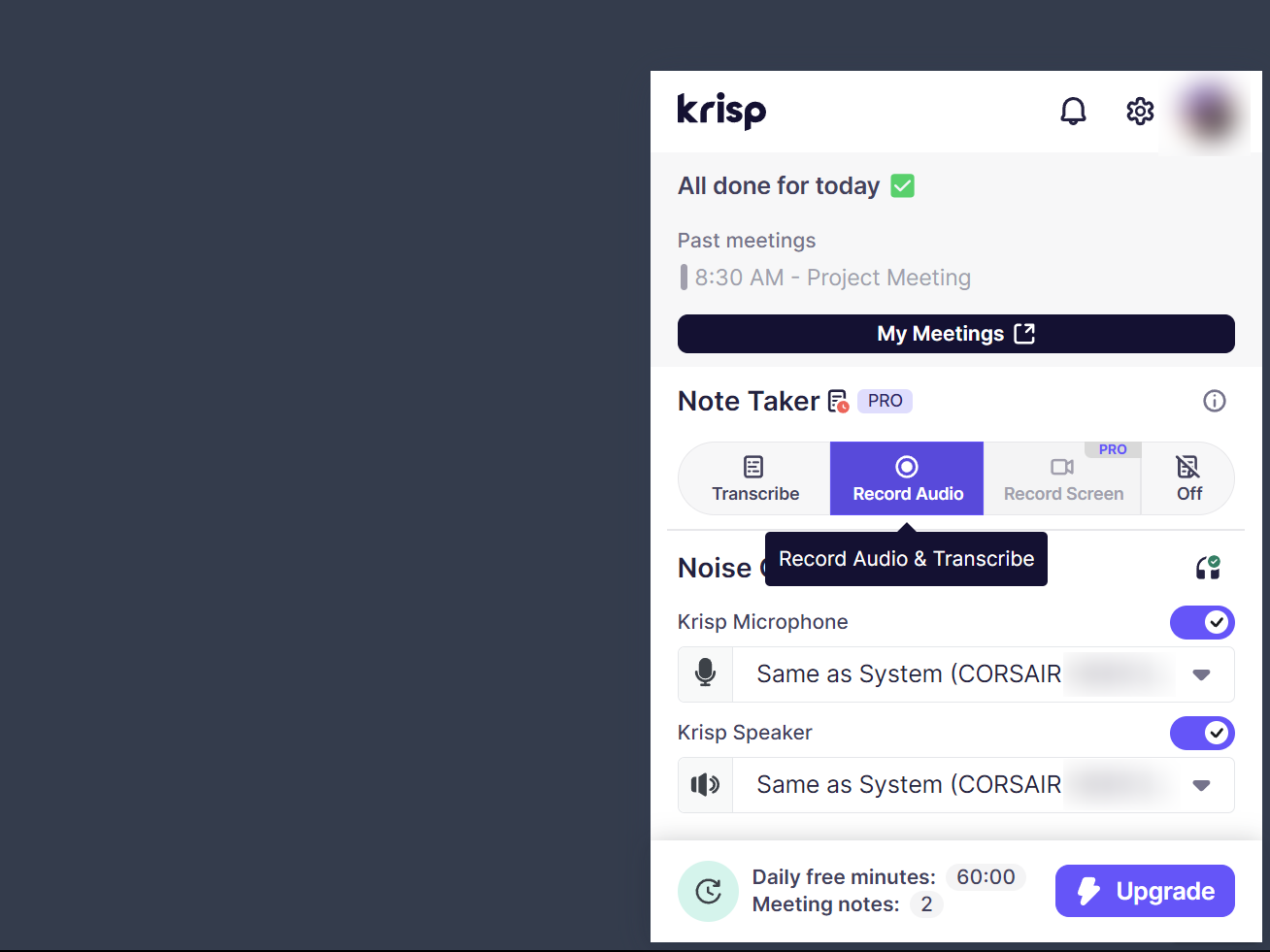
Krisp retains all meeting history for seven days on the free plan. When you need to revisit what was discussed or share information with team members who weren’t able to attend, you can conveniently access recordings and AI-generated notes directly from your Krisp dashboard.
This approach to documenting meetings echoes the intentions of Zoom’s advanced AI companion, but with a significant advantage: Krisp prioritizes simplicity.
3
Quickly Grasp Key Points with AI-Generated Meeting Summaries
Lengthy meetings can produce extensive transcripts, making it complicated to filter out critical points afterwards. Krisp provides AI-generated meeting summaries that condense hour-long conversations into clear, concise bullet points.

The free tier allows you to generate two AI summaries daily. These summaries are especially handy for quickly refreshing your memory before follow-up meetings.
These AI summaries save you a significant amount of time compared to manually sifting through long transcripts. While other AI meeting assistants may provide similar offerings, Krisp’s summaries are notably accurate. Still, like with any AI tool, it’s wise to verify crucial details against the full transcript when necessary.
Keeping track of meeting commitments can be just as challenging as engaging in the discussions themselves. Krisp addresses this issue adeptly by automatically reviewing conversations and generating action items.
These action items help neatly organize your to-do lists, with the free plan allowing for two sets of AI-extracted tasks each day. The AI excels at pinpointing what needs to be done and who is responsible for each task.
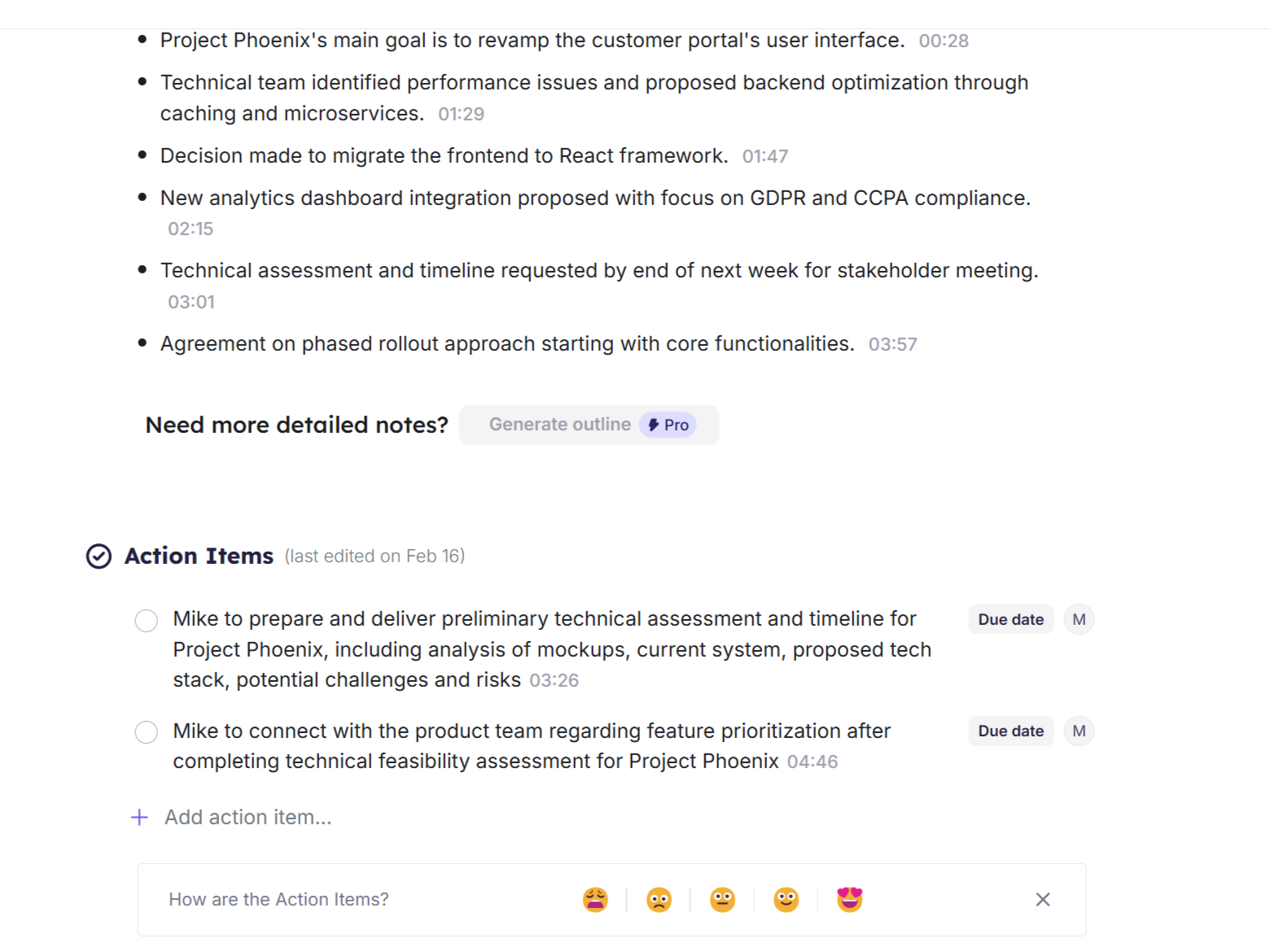
Once extracted, you can organize these action items further by assigning priorities and due dates, ensuring everyone knows their tasks and deadlines.
1
Tailor Krisp to Fit Your Team’s Lexicon
Every team utilizes its own unique language—project titles, technical jargon, and industry abbreviations that generic AI may misinterpret. Krisp features a custom vocabulary option that enables teams to create a collective dictionary of specialized terms.
This platform allows you to enter up to 750 industry-specific terms into your workspace for precise transcription during all meetings. This feature proves especially helpful when discussing proprietary product names or technical terms that might confuse standard transcription tools.
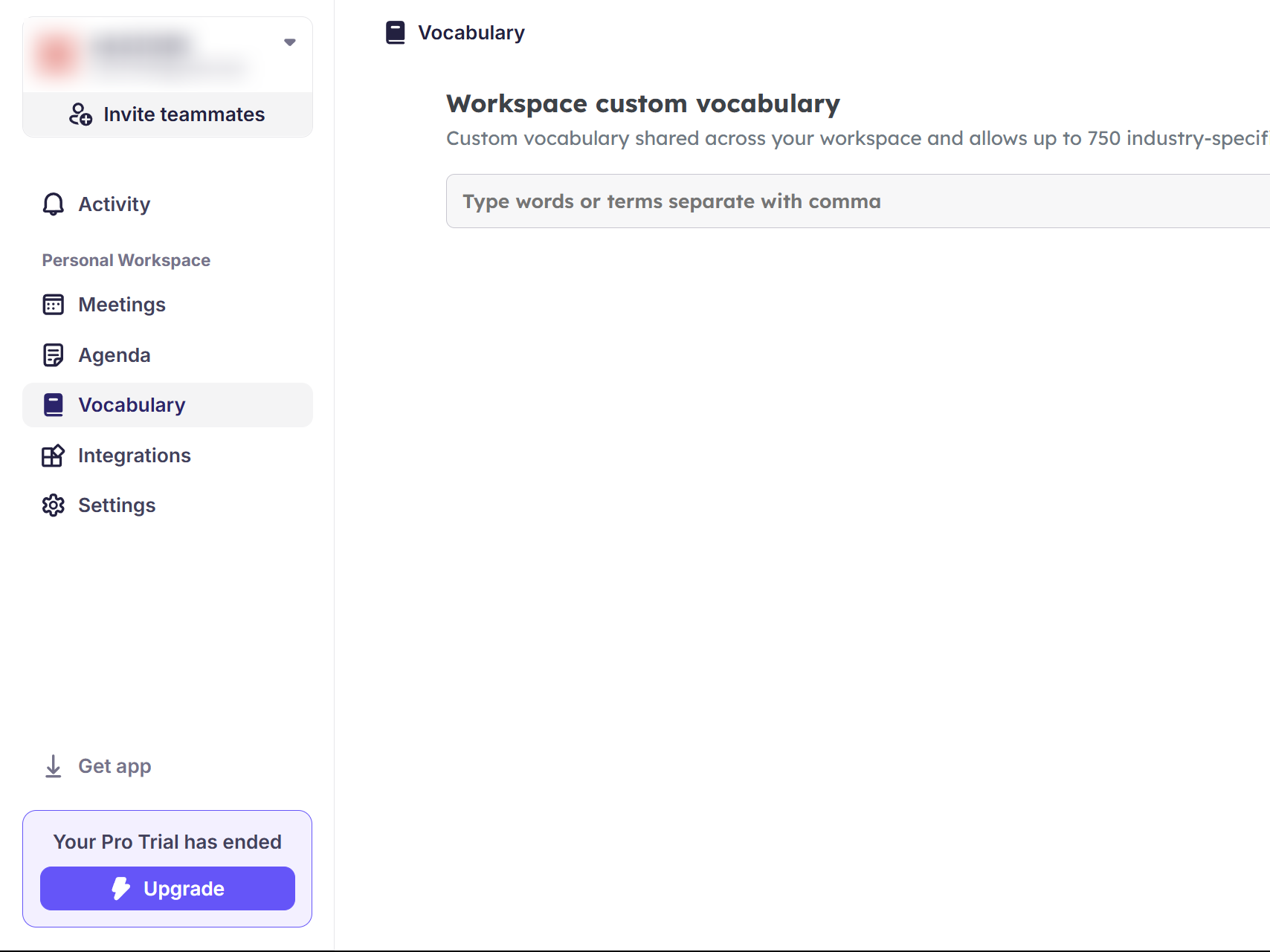
Adding terms is a breeze; just input your desired words separated by commas in the custom vocabulary section. Once included, these terms will be automatically recognized in every meeting among team members.
With its free plan and thoughtful range of features, Krisp might just make you reconsider using a phone for video calls and motivate you to switch to a PC for a more efficient remote working experience.
 ChatGPT
 Perplexity
 Gemini AI
 Grok AI