Select Language:
Many AI editing tools claim to work wonders but often miss the mark. However, Topaz Labs stands out as a comprehensive suite of AI-driven tools that truly deliver results. With its sophisticated options for sharpening, noise reduction, and upscaling, you can transform “unusable” photographs into breathtaking visuals with ease.
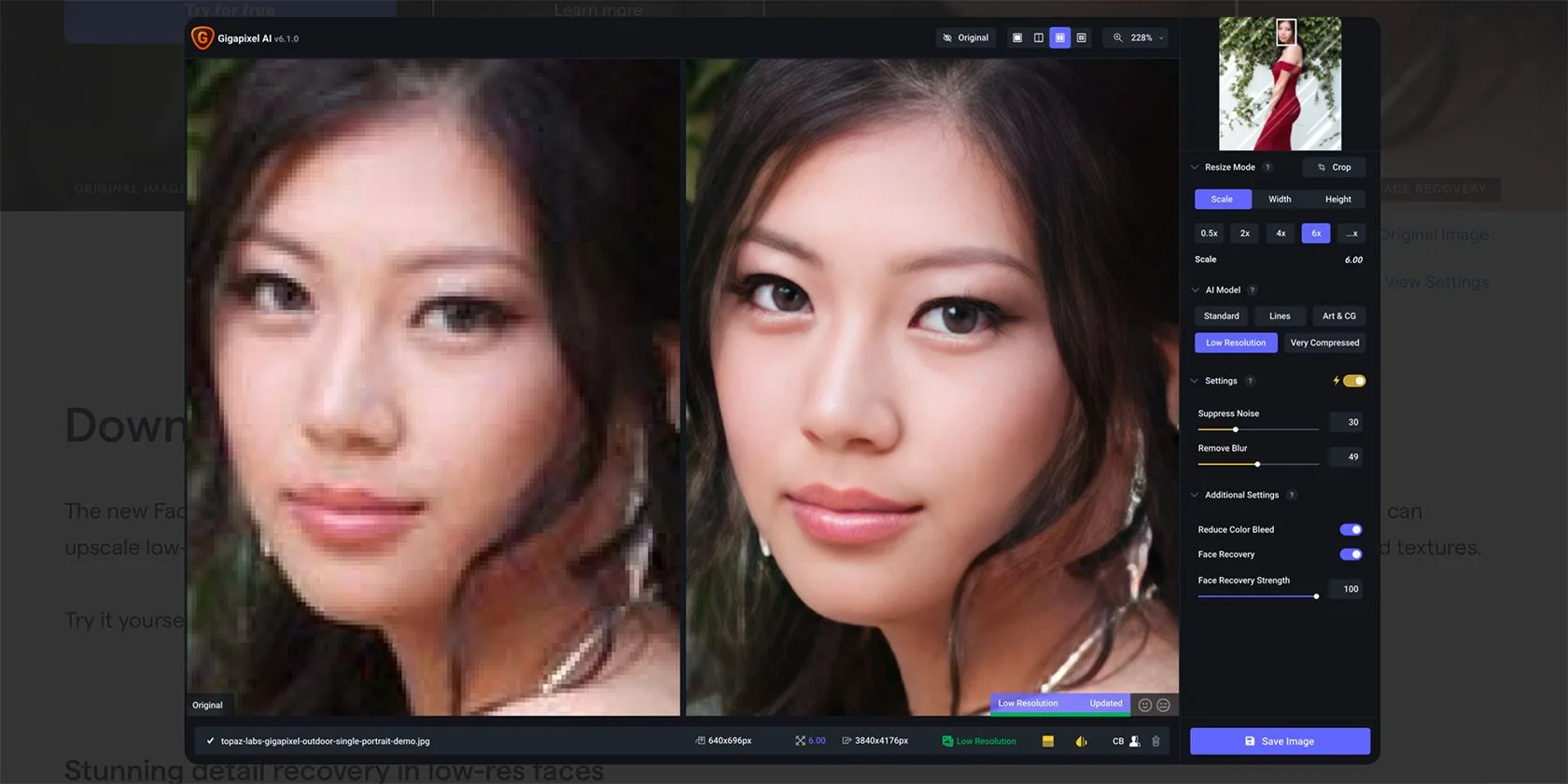
Topaz Labs provides both image upscaling and enhancement through two primary tools: Topaz Photo AI and Topaz Gigapixel. These applications not only allow you to sharpen your images but also feature robust noise reduction capabilities. Topaz offers specialized tools for various tasks including noise reduction, face recovery, sharpening, and scaling images.
You can get Gigapixel 8 for $99 as either a standalone application for Windows or macOS, or as a plugin for Adobe Lightroom or Photoshop. This AI-powered upscaling tool enhances images by up to 16 times their original size.
Topaz Photo AI is offered for $199, available both as a standalone application and a plugin. With Photo AI 3, you can accomplish more than just sharpening and enhancing images, thanks to the integrated features.
2
Processing Locally Without Needing Internet
Unlike most AI tools that necessitate an internet connection for processing, Topaz Labs keeps everything installed locally on your device, including the neural networks for AI editing. Since Topaz Labs does not rely on generative AI, you can edit your images offline without any interruptions.
In contrast to AI photo editing tools like Luminar Neo, which need a constant internet connection, Topaz AI tools allow you to edit regardless of your connectivity.
3
Automated Edit Recommendations
Topaz’s AI tools are not just about enhancing your photos; they also analyze your images to provide edit suggestions. These recommendations can be applied temporarily so you can choose whether or not to finalize them.
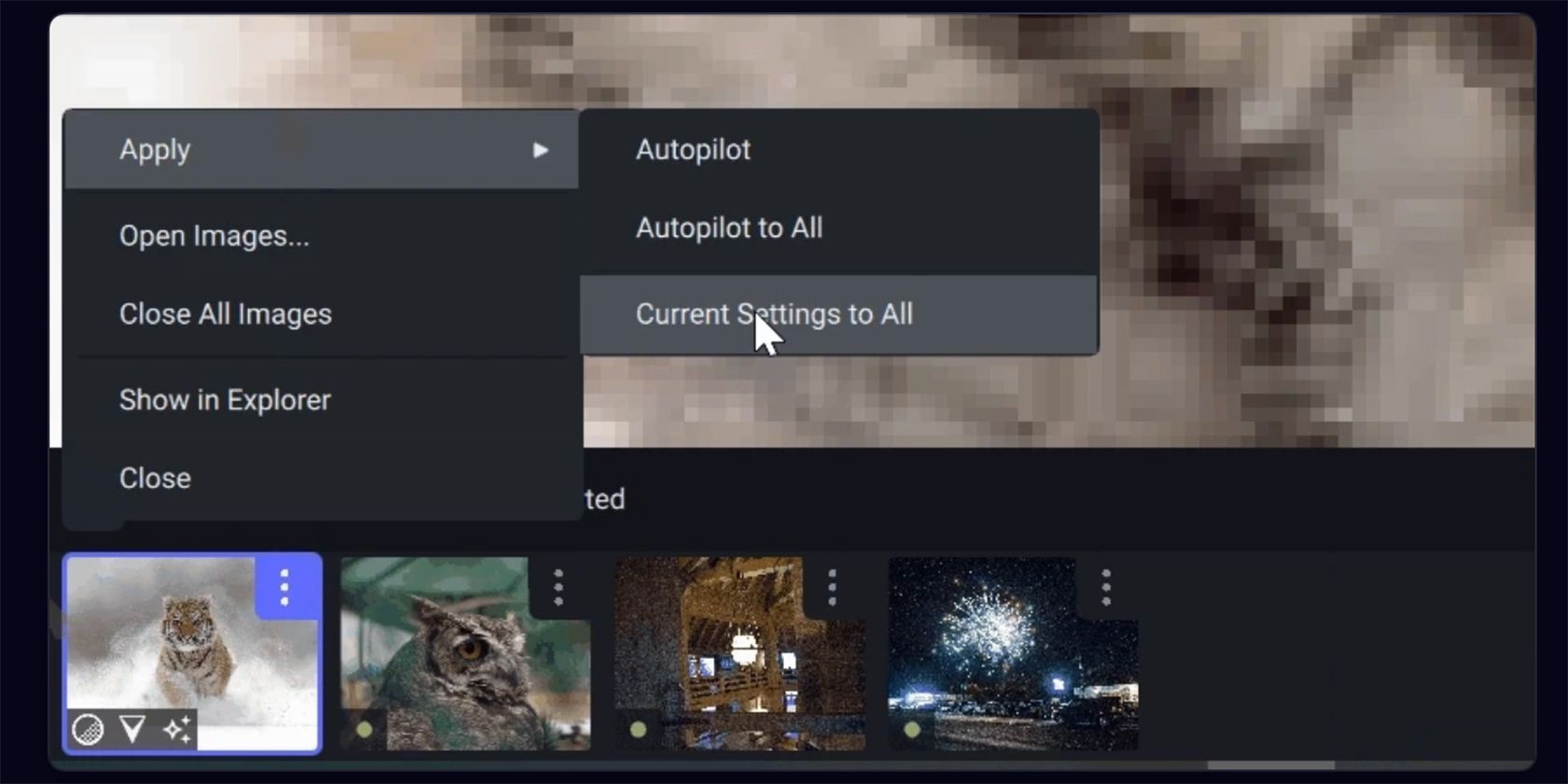
When a photo has autopilot edits applied, it will display a small green dot upon upload.
You have the flexibility to fine-tune the suggestions you like, making it easier to decide which edits to apply. This autopilot feature is a real time-saver and reduces the mental effort required in the editing process.
Topaz Labs extends beyond just photo editing; it also features AI tools for video editing under Topaz Video AI. This software is available both as standalone and as plugins for Adobe After Effects and DaVinci Resolve.
Complementing Topaz Video AI is the high-end video editor: Topaz Video AI Pro. This is the first AI video enhancement tool created specifically for professional use. While the price is on the higher side at $1,099 per license, it produces exceptional results, trusted by renowned video editors and teams from organizations like BBC, Amazon, and NASA.
Topaz Video AI 6 features an improved interface, updated models for video upscaling, and the ability to convert Standard Dynamic Range (SDR) to High Dynamic Range (HDR).
5
Options for Standalone and Plugin Use
Much like other photo editing software, Topaz Labs provides its applications as standalone tools as well as plugins for Adobe Lightroom and Photoshop. You can also find Retouch4Me’s AI plugin and standalone tools designed for portrait enhancement.
This flexibility to use Topaz Labs products independently or in tandem with other software allows you to tailor your editing workflow. Although Topaz AI tools resemble many options in Lightroom or Photoshop, there will be instances where you may still need Adobe’s features for a complete edit. Using Topaz as a plugin creates a smoother editing experience without the hassle of constantly switching between programs.
Choosing standalone tools means you aren’t reliant on Adobe or other photo-editing applications like Affinity Photo or Pixelmator Pro, providing you with greater independence as an editor. You might also consider using Skylum’s Aperty for portrait enhancements.
6
Efficient Batch Editing
With Topaz’s applications, you can swiftly batch edit your photos. Unlike many other editing tools that slow down during bulk editing, Topaz Labs processes your edits quickly and efficiently.
You can batch edit up to 1,000 images in one session, which is a significant time-saver compared to editing each image individually.
7
Lifetime License Options
Topaz Labs offers its tools for a one-time fee with a lifetime license, giving you full ownership of the software. Each lifetime license includes one year of updates, with options to renew after that period.
This structure makes the nearly $200 price point more appealing when spread over multiple years of use—especially compared to the $240 annual subscription for Adobe Photography, for instance.
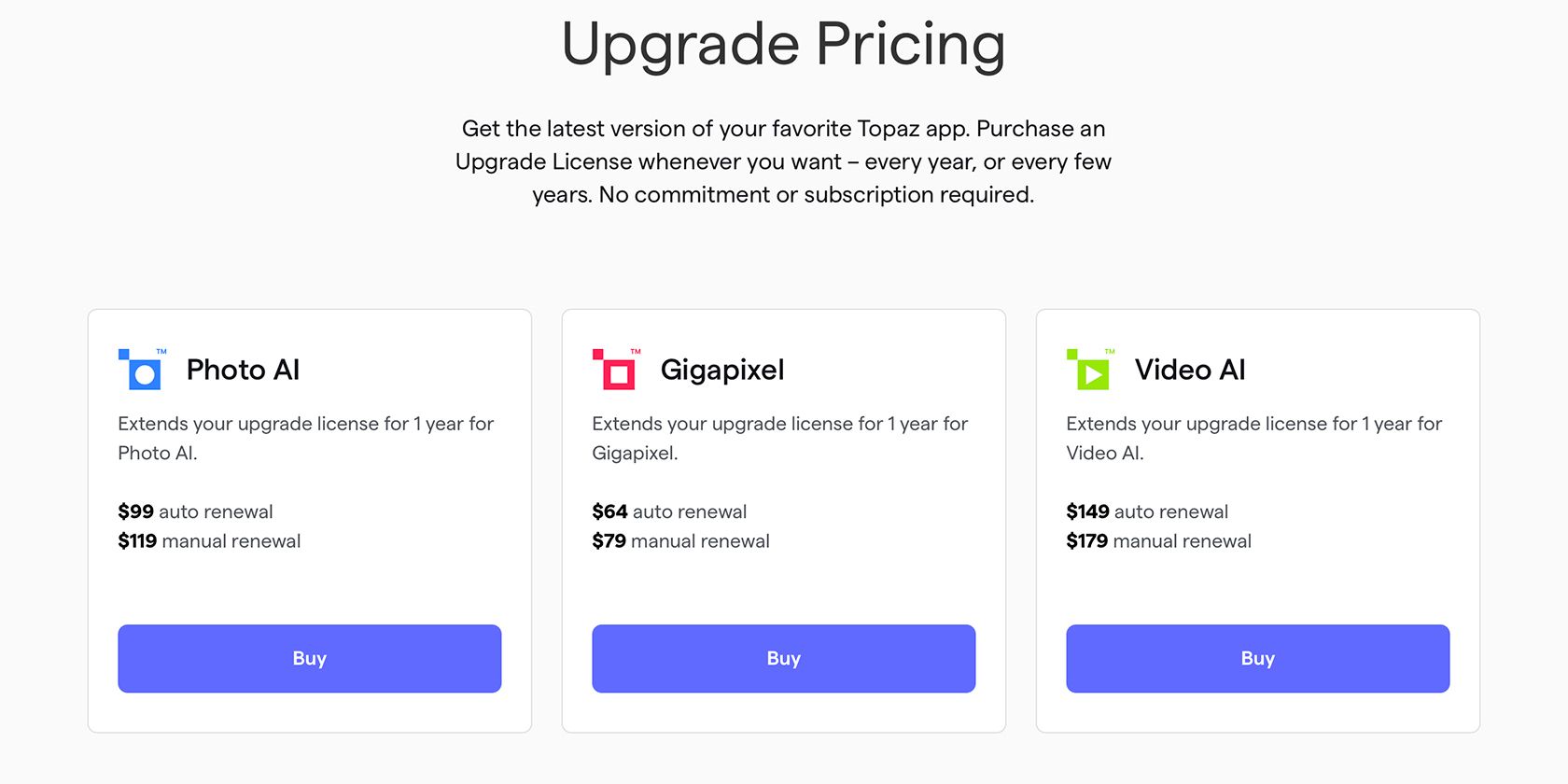
Topaz Labs provides premium AI tools designed to elevate your creative process when editing high-quality images and videos. With three distinct products available, you can choose either a purchase or subscription model that fits your needs. Compared to more expensive subscription options that often yield similar results, Topaz Labs’ lifetime license offers an excellent value for consistent quality.
 ChatGPT
 Perplexity
 Gemini AI
 Grok AI