• About Us
  • Contact Us
  • Advertise
  • Privacy Policy
  • Guest Post
No Result
View All Result
Digital Phablet
  • Home
  • NewsLatest
  • Technology
    • Education Tech
    • Home Tech
    • Office Tech
    • Fintech
    • Digital Marketing
  • Social Media
  • Gaming
  • Smartphones
  • AI
  • Reviews
  • Interesting
  • How To
  • Home
  • NewsLatest
  • Technology
    • Education Tech
    • Home Tech
    • Office Tech
    • Fintech
    • Digital Marketing
  • Social Media
  • Gaming
  • Smartphones
  • AI
  • Reviews
  • Interesting
  • How To
No Result
View All Result
Digital Phablet
No Result
View All Result

Home » How to Re-enable Ethernet in Azure VM After Accidental Disablement

How to Re-enable Ethernet in Azure VM After Accidental Disablement

DP Staff by DP Staff
December 27, 2025
in How To
Reading Time: 1 min read
A A
How to Fix Azure Student Subscription Region Error
ADVERTISEMENT

Select Language:

If you’re having trouble connecting to your virtual machine because the network interface card (NIC) seems disabled, there’s a simple way to fix this using the serial console. This method allows you to connect directly to your VM and make the necessary adjustments to enable the NIC.

ADVERTISEMENT

First, access the serial console for your VM. You can find instructions for doing this in this official guide: Serial console for Windows virtual machines. Once connected, you can run a few commands to check and enable the NIC.

Start by entering the command to display your network interface configurations:

netsh interface ipv4 show config

ADVERTISEMENT

This will show details about your network adapters. Find the name of the adapter you want to enable, such as “Ethernet 4.” Then, run this command to enable it:

netsh interface set interface “Ethernet 4” admin=enabled

Make sure to replace “Ethernet 4” with the actual name of your network interface if it’s different.

For additional guidance, you can review this troubleshooting document: Troubleshoot RDP and NIC issues.

If you need more help or run into any issues, don’t hesitate to reach out for support! And if this solution works for you, please remember to “[Accept the answer]” to help others find useful information.

ChatGPT ChatGPT Perplexity AI Perplexity Gemini AI Logo Gemini AI Grok AI Logo Grok AI
Google Banner
ADVERTISEMENT
DP Staff

DP Staff

Related Posts

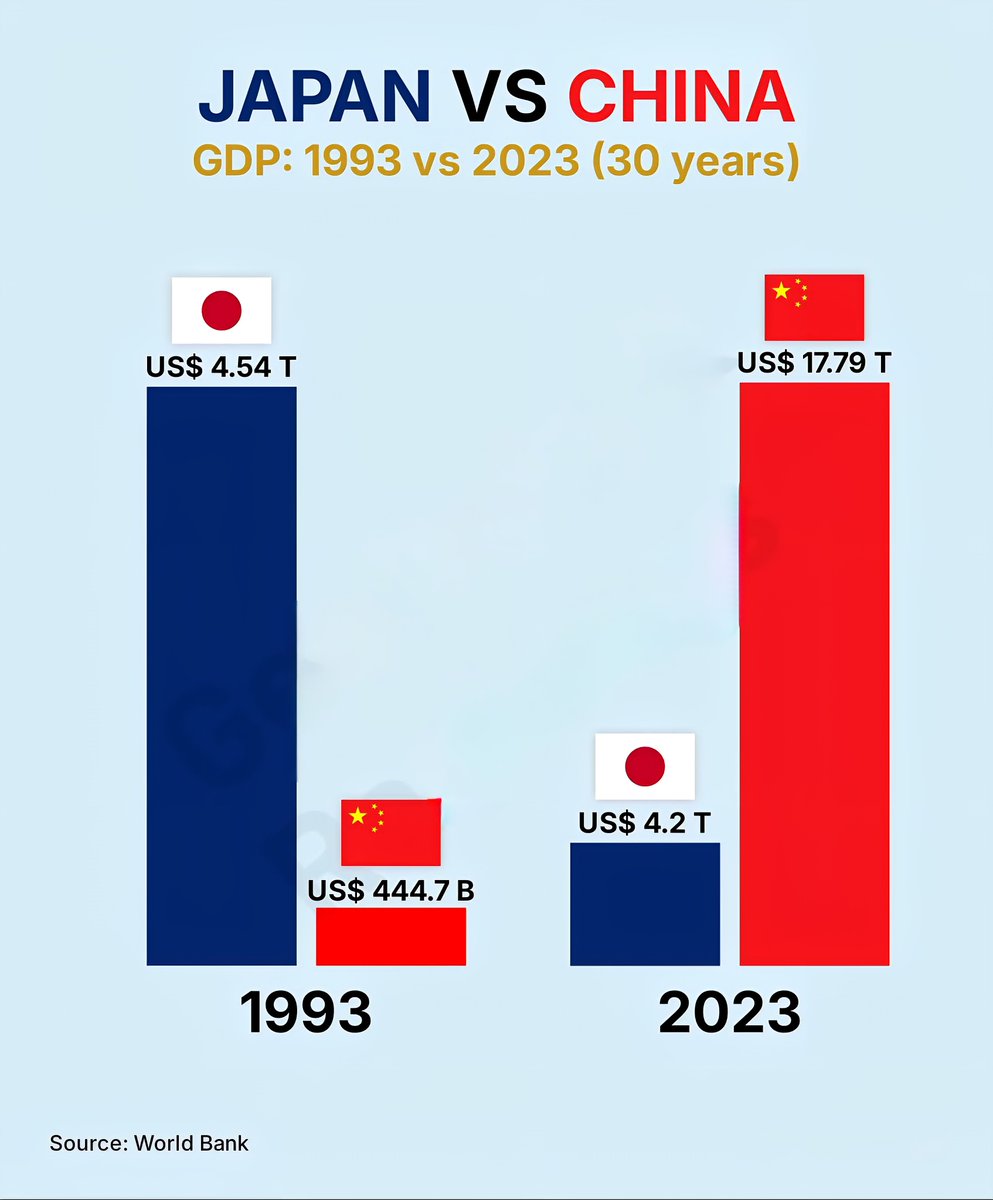
Japan vs China GDP (1993 vs 2023)

1993
 Japan - US$ 4.54 Trillion
 China - US$
Infotainment

Japan vs China GDP Comparison from 1993 to 2023

July 8, 2026
How to Engage Effectively on GitHub Community Forums
How To

How to Engage Effectively on GitHub Community Forums

July 8, 2026
How to Fix AWS Quick Data Preview Issue for Iceberg Tables in Athena
How To

How to Deploy AWS KVS VPC Endpoints in Tokyo Region

July 8, 2026
China Imposes $530M Fines on 7 Platforms in First-Half “Phantom Delivery” Crackdown
Business

China Imposes $530M Fines on 7 Platforms in First-Half “Phantom Delivery” Crackdown

July 8, 2026
Next Post
How to Complete the Yeti Outfit in GTA Online: Solving the Mystery

How to Complete the Yeti Outfit in GTA Online: Solving the Mystery

  • About Us
  • Contact Us
  • Advertise
  • Privacy Policy
  • Guest Post

© 2026 Digital Phablet

No Result
View All Result
  • Home
  • News
  • Technology
    • Education Tech
    • Home Tech
    • Office Tech
    • Fintech
    • Digital Marketing
  • Social Media
  • Gaming
  • Smartphones

© 2026 Digital Phablet