Select Language:
The Sims 4 stays exciting every year by not just offering expansion packs for sale but also by consistently rolling out free content through updates. This approach keeps your gaming experience fresh and allows you to expand your virtual lifestyle without spending any extra money.
In addition to the many items available in the base game, you can unlock even more content through the debug menu. Since this game simulates real life, it’s only logical that you’d want to offer your Sims more than the basics. The trick is knowing the cheat codes that open up the debug menu.
The Only Way Is To Cheat
To access the debug menu, you’ll need a few cheat codes. Fortunately, most items in this menu are free, with a few exceptions that do carry a cost. If you encounter these pricier debug items, you can either find ways to earn in-game currency or use cheats to gain money. The method to open the cheat menu varies depending on your platform:
- PC: Press CTRL + Shift + C
- Console: Press all four triggers at once
- Mac: Press COMMAND + Shift + C
Once the cheat menu is open, type “testingcheats true” to enable cheats. To unlock debug items, you will need to enter two commands: the first one, “bb.showHiddenObjects,” grants access in build or buy mode, and the second command, “bb.showLiveEditObjects,” reveals more hidden items. Remember, if you move to a different location, you’ll need to reactivate the cheats.
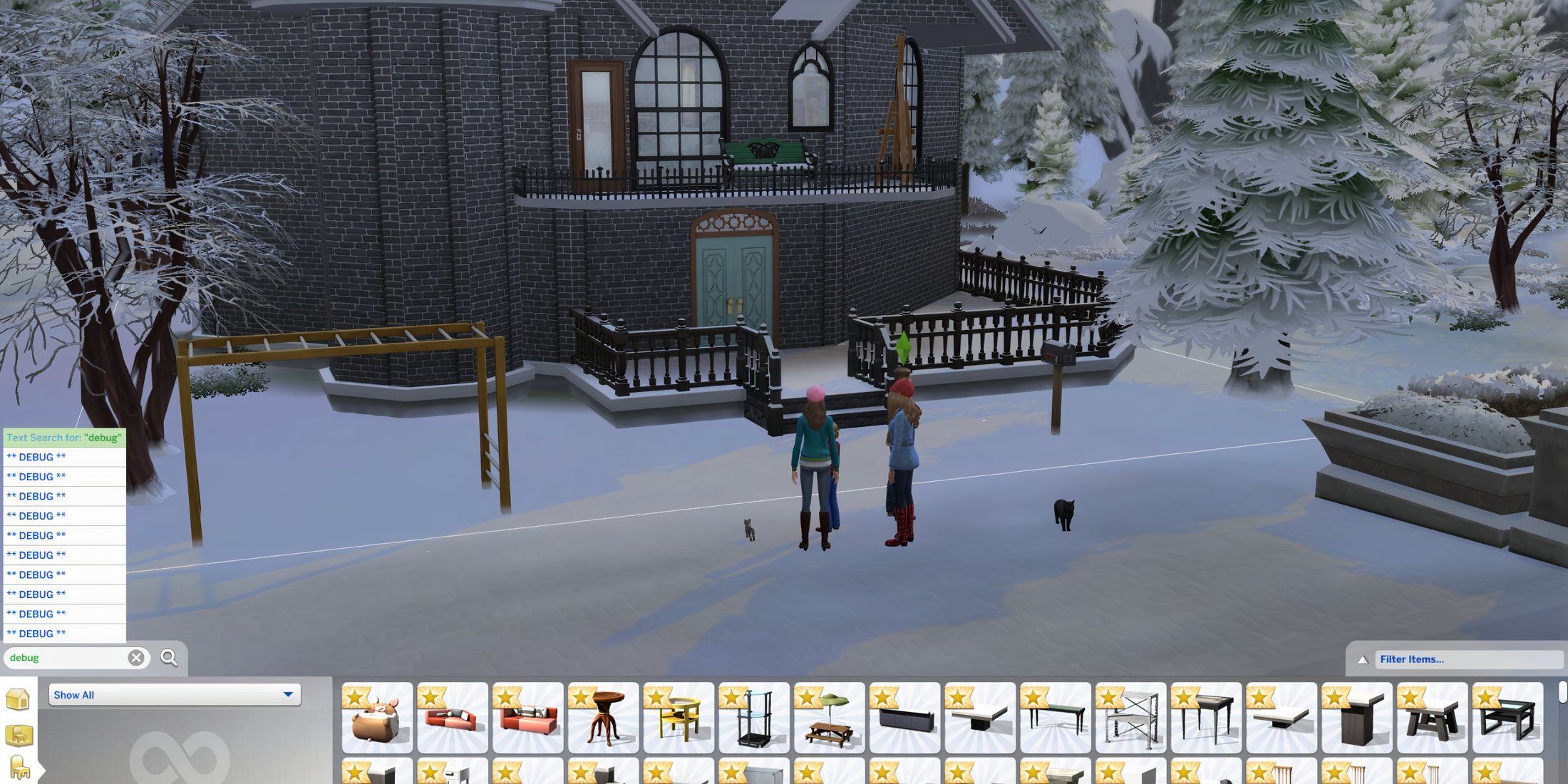
When you enter build or buy mode, simply type “debug” in the search bar to display all the debug items. Note that you won’t receive any confirmation right after entering the codes, so if the debug items don’t appear, make sure you’ve spelled everything correctly.
Items Included In The Debug
Mostly For Decoration, Not Interaction
The debug menu features a wide variety of objects. When you search for “debug,” you’ll see multiple options with the same name. Clicking on each option reveals different items, though some may overlap. Sadly, the specific names for these items don’t show; they all appear as “Debug.”
Most of the items are free, except for a few exceptions like some books costing around 750 Simoleons and another item priced at 115 Simoleons. Each item generally enhances different aspects of the game, such as the environment, fun levels, or skills. However, most items, including buildings and cars, are purely decorative.
Some food items may even disappear before you place them in the world. The debug menu also includes a baby, but it serves no functional purpose. However, there are a few interactive items available:
- Various books your Sims can read.
- The Magical Bean Portal Tree, which allows one-time teleportation and the chance to return with special fruit.
- “Stout” Artistic Teapot Sculpture, which provides energizing decor, enabling clay molding.

Sims 4

- Released
- September 2, 2014
- ESRB
- T for Teen due to crude humor, sexual themes, and violence.
- Developer(s)
- Maxis
- Publisher(s)
- Electronic Arts
- Engine
- Proprietary Engine
 ChatGPT
 Perplexity
 Gemini AI
 Grok AI