• About Us
  • Contact Us
  • Advertise
  • Privacy Policy
  • Guest Post
No Result
View All Result
Digital Phablet
  • Home
  • NewsLatest
  • Technology
    • Education Tech
    • Home Tech
    • Office Tech
    • Fintech
    • Digital Marketing
  • Social Media
  • Gaming
  • Smartphones
  • AI
  • Reviews
  • Interesting
  • How To
  • Home
  • NewsLatest
  • Technology
    • Education Tech
    • Home Tech
    • Office Tech
    • Fintech
    • Digital Marketing
  • Social Media
  • Gaming
  • Smartphones
  • AI
  • Reviews
  • Interesting
  • How To
No Result
View All Result
Digital Phablet
No Result
View All Result

Home » Understanding the Overheat Attack Warning in Cyberpunk 2077 and Prevention Tips

Understanding the Overheat Attack Warning in Cyberpunk 2077 and Prevention Tips

Emily Smith by Emily Smith
February 11, 2025
in Gaming
Reading Time: 1 min read
A A
Understanding the Overheat Attack Warning in Cyberpunk 2077 and Prevention Tips
ADVERTISEMENT

Select Language:

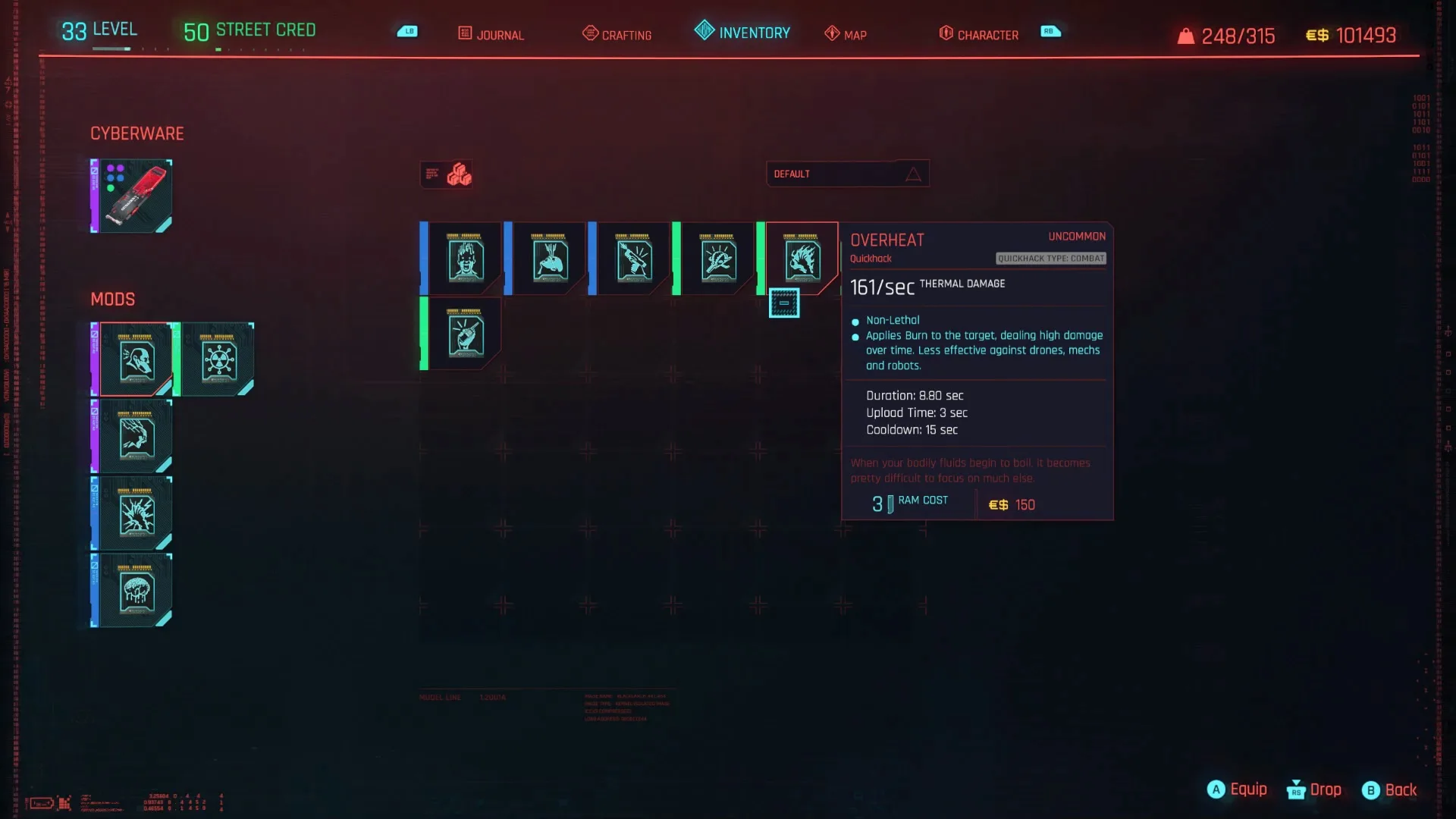
If you’ve been getting the Overheat warning in Cyberpunk 2077 and aren’t sure why, you’re not the only one. This annoying message can be confusing, and it’s often hard to figure out how to resolve it. Rest assured, it’s not a glitch! Once you understand what leads to Overheat damage, finding a solution becomes straightforward. Here’s a guide to help you deal with the Overheat warning in Cyberpunk 2077.

Understanding Overheat Attacks in Cyberpunk 2077

The Overheat option is one of the hacking attacks available in Cyberpunk 2077. It allows you to damage enemies from a distance using your cyberware, which is especially useful for taking out foes stealthily. However, if a hacker targets you with this attack, it can be quite frustrating. It’s not always clear how to stop the Overheat effect or avoid taking damage.

To protect yourself from an Overheat attack, you’ll need to track down the hacker trying to target you. Often, just getting close will cause them to abandon the hack to defend themselves.

That said, navigating a chaotic gunfight can make this tricky. A helpful strategy is to use the I SPY perk found in the Intelligence section of your character’s abilities. Here’s how it works:

If you activate I SPY, you’ll see a yellow directional indicator when someone is attempting an Overheat hack on you, making it easier to spot the hacker. They will also be highlighted in yellow instead of red, which should help you identify them quickly and divert your attention towards stopping their attack.

ChatGPT ChatGPT Perplexity AI Perplexity Gemini AI Logo Gemini AI Grok AI Logo Grok AI
Google Banner
Tags: RPGs
ADVERTISEMENT
Emily Smith

Emily Smith

Emily is a digital marketer in Austin, Texas. She enjoys gaming, playing guitar, and dreams of traveling to Japan with her golden retriever, Max.

Related Posts

Skull Up Codes Guide – March 2026 Edition
Gaming

Skull Up Codes Guide – March 2026 Edition

March 5, 2026
Crimson Desert: Your Ultimate Challenge awaits
Gaming

Crimson Desert: Your Ultimate Challenge awaits

February 23, 2026
Hunty Zombie Gift Codes for February 2026
Gaming

Hunty Zombie Gift Codes for February 2026

February 16, 2026
Top Weapons in Nioh 3: Our Picks | GamesRadar+
Gaming

Top Weapons in Nioh 3: Our Picks | GamesRadar+

February 5, 2026
Next Post
Musk-Backed Group Offers $97 Billion Unsolicited Bid For OpenAI

Musk-Backed Group Offers $97 Billion Unsolicited Bid For OpenAI

  • About Us
  • Contact Us
  • Advertise
  • Privacy Policy
  • Guest Post

© 2026 Digital Phablet

No Result
View All Result
  • Home
  • News
  • Technology
    • Education Tech
    • Home Tech
    • Office Tech
    • Fintech
    • Digital Marketing
  • Social Media
  • Gaming
  • Smartphones

© 2026 Digital Phablet