Select Language:
Opening the Axum Door in the Subnautica 2 Observatory is the biggest step you’ll take to complete the current early access content. It’s not a simple task and will require a lot of effort and resources.
The first step is to turn on the Karakorum Power Plant. Before doing that, you need to find and clean the Angel Comb at the plant’s center, then repair the turbine.
Cleanse the Power Plant Angel Comb
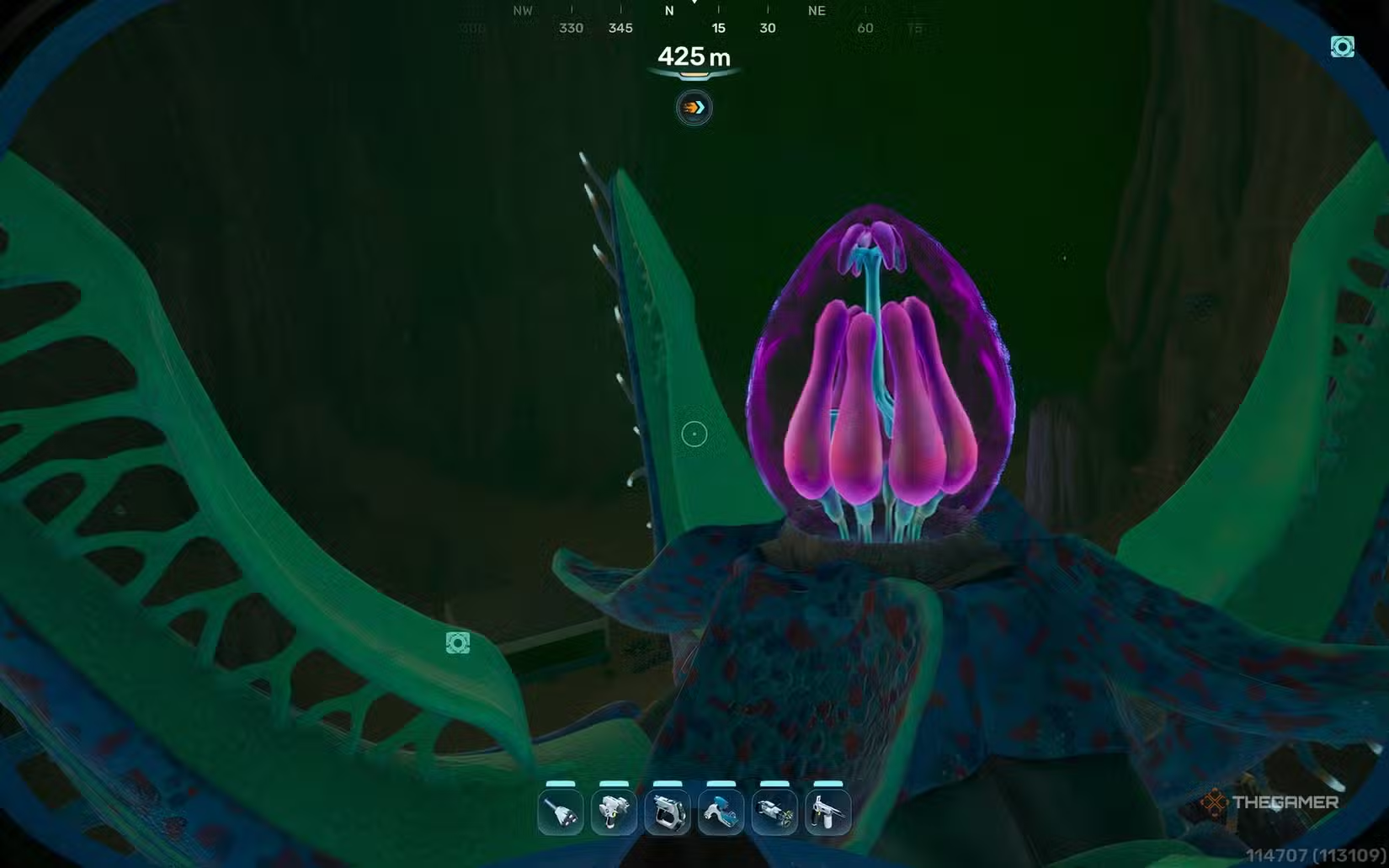
The Angel Comb is located about 1,760 meters east-northeast (75 degrees) of the lifepod and 425 meters deep. To cleanse it, you must remove the Canker Blooms infecting it, similar to previous Angel Comb encounters.
These Blooms will close up as you approach, so you’ll need to upgrade your Sonic Resonator to a Feedback Resonator at the Modification Station. This upgrade allows you to shoot from afar, preventing the Blooms from closing. Near the Angel Comb, there are two Canker Blooms, but you should wait until you clear the three Bloom Nodes before destroying the blooms closest to the comb.
There are three Bloom Nodes to cleanse, each infected with two Canker Blooms. When a Node is cleansed, it opens, signaling you can move to the next one. The nodes are located at:
- Under the Observatory Tower: 1,175 meters east of the lifepod, in a cave beneath the main tower. Two Blooms here.
- Near the Base of Power Plant’s South-southwest Arm: 1,516 meters east-southeast (100 degrees), 305 meters deep, near a research table. Watch out for marine life here, including the Leviathan periodically passing through. You need upgrades for your Tadpole to reach this point.
- Northeast of Angel Comb: 2,150 meters east of the lifepod, at 320 meters deep in a wreck site. Follow the Titan Rockbore roots northeast from the Angel Comb, and swim up into a cliffside cave.
- Cicada Wreck Site: Located at 2,150 meters east of the lifepod and 320 meters deep. Swim through the wreck inside a cliff to find this node and Blooms.
You can follow the purple Titan Rockbore roots to locate these nodes. Once all three are cleaned, remove the two Canker Blooms near the Angel Comb.
Repair the Karakorum Power Plant Turbine
After cleansing the Angel Comb and interacting with it, look along the southeastern cliff wall about 400 meters deep to find the turbine control center. Enter through the hole on the left and interact with the panels to activate the Heat Pipe. When the Heat Pipe starts moving, exit the control center and swim up to another station at 200 meters depth.
At this second control center, you’ll see three terminals. Scan each terminal with your PDA, then return to the back left. Interact with every dial and lever until they turn green, then press the central button to turn the system green. Do the same for the right terminal afterward.
Before pressing the main button on the right, scan the Turbine itself, located about five meters in front of you. Once scanned, you’ll learn what materials are needed for repairs. The required items are:
- 10 Titanium Ingots
- 10 Strontium
- 10 Mangalloy Ingots
All these items can be crafted at your base using a Processor. You’ll need to gather:
- 60 Titanium
- 10 Atacamite
- 10 Troilite
- 20 Celestine
Once crafted, return to the Turbine to repair it. Use the materials to fix all parts of the Turbine at the processor.
Restore Power to the Power Plant
After fixing the Turbine, return to the upper control room to turn on all terminals. The power plant will start powering up, and you’ll receive a notification from your PDA indicating that power has been restored.
Open the Axum Observatory Door
Now that the power is on, go back to the main Observatory Tower and approach the Axum Door. Interact with it, and it will open. Inside, scan the Orrery to gather information.
After scanning, your PDA will send some data to NoA. Before leaving, swim up through one of the three central holes in the room; you’ll find yourself in a second chamber with another interactable plant. Interact with it to reveal additional information and a tease of upcoming content. At this point, you’ll be informed that the Early Access phase is complete, for now.
 ChatGPT
 Perplexity
 Gemini AI
 Grok AI