• About Us
  • Contact Us
  • Advertise
  • Privacy Policy
  • Guest Post
No Result
View All Result
Digital Phablet
  • Home
  • NewsLatest
  • Technology
    • Education Tech
    • Home Tech
    • Office Tech
    • Fintech
    • Digital Marketing
  • Social Media
  • Gaming
  • Smartphones
  • AI
  • Reviews
  • Interesting
  • How To
  • Home
  • NewsLatest
  • Technology
    • Education Tech
    • Home Tech
    • Office Tech
    • Fintech
    • Digital Marketing
  • Social Media
  • Gaming
  • Smartphones
  • AI
  • Reviews
  • Interesting
  • How To
No Result
View All Result
Digital Phablet
No Result
View All Result

Home » Guide to Connecting Your Warframe Account with Twitch

Guide to Connecting Your Warframe Account with Twitch

Emily Smith by Emily Smith
December 10, 2024
in Gaming
Reading Time: 4 mins read
A A
Guide to Connecting Your Warframe Account with Twitch
ADVERTISEMENT

Select Language:

Warframe is a large-scale game where players can venture through the expansive Origin System and its various planets. However, the ongoing battles between factions can wear out even the most dedicated Tenno after just a few hours. Luckily, you can take a breather by heading over to Twitch to watch fellow Tenno engage in combat across the galaxy!

By linking your Warframe account to Twitch, you can not only explore the equipment of your favorite streamers but also unlock some exciting and valuable rewards for free! Here’s everything you need to know about the process.

How to Link Your Warframe Account to Twitch

To connect your Warframe account to Twitch, make sure you have accounts on both platforms and follow these steps:

  • Visit https://www.warframe.com/twitch/link.
  • Click the ‘Link Account’ button, which will prompt you to log in to the Warframe website if you’re not already logged in.
  • A new tab will open for Twitch where you need to verify your account. If you aren’t logged in, you’ll be asked to do so.
  • After confirming your identity on both platforms, your accounts will be successfully linked, allowing you to earn Warframe drops!

As a thank you for linking your Warframe and Twitch accounts, you will receive a Brocca Prominence Syandana!

Why Link Your Warframe Account to Twitch?
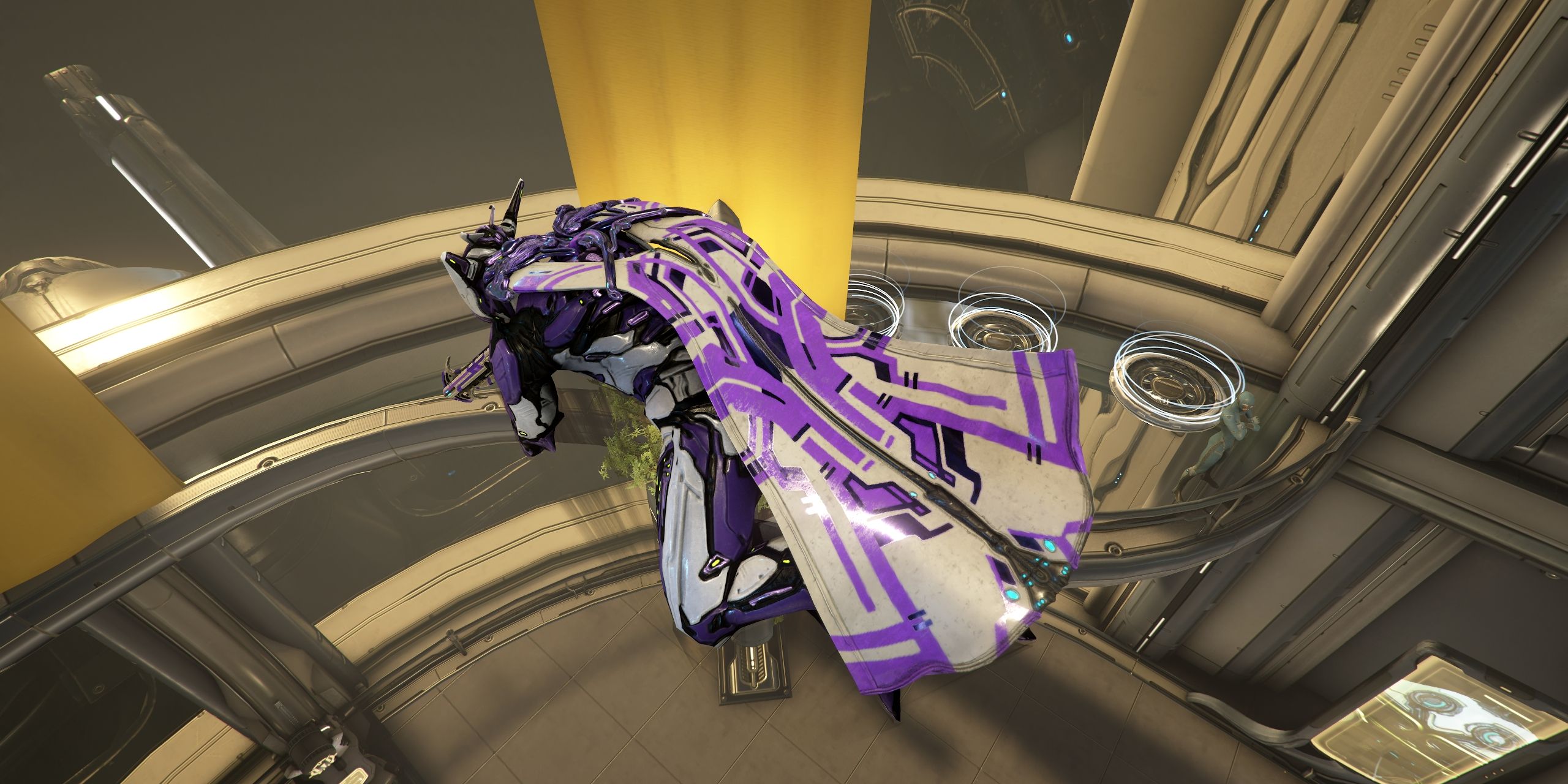
Loki gliding through the air in Warframe.

Warframe often features Twitch Drops during official streams, enabling players to earn new rewards for their Tenno. These rewards may include cosmetic items, Archon Shards, Umbra Forma, and many other helpful tools. To collect these rewards, follow these steps:

  • Head over to https://www.twitch.tv/drops/inventory and check for any active Warframe campaigns.
  • If a campaign is running, look through the participating channels and watch enough to earn your drops.
  • When you receive a drop notification, visit your inventory to claim it manually. You should find the reward in your inbox within five to ten minutes.

Keep an eye on Warframe’s social media pages, as they frequently announce Twitch-related activities!

ChatGPT ChatGPT Perplexity AI Perplexity Gemini AI Logo Gemini AI Grok AI Logo Grok AI
Google Banner
Tags: accountHow TolinkLive-Service GamesTwitchWarframe
ADVERTISEMENT
Emily Smith

Emily Smith

Emily is a digital marketer in Austin, Texas. She enjoys gaming, playing guitar, and dreams of traveling to Japan with her golden retriever, Max.

Related Posts

How to Complete "One Leaf, One Life" in Where Winds Meet Through Solving
Gaming

How to Complete “One Leaf, One Life” in Where Winds Meet Through Solving

December 4, 2025
How To Complete and Use Shared EXP in Where Winds Meet
Gaming

How To Complete and Use Shared EXP in Where Winds Meet

December 3, 2025
How to Make a Pineapple Pizza in Goat Simulator 3 and Solve the Puzzle
Gaming

How to Make a Pineapple Pizza in Goat Simulator 3 and Solve the Puzzle

November 23, 2025
How to Earn All Twitch Drop Rewards by Completing & Solving Escape From Tarkov
Gaming

How to Earn All Twitch Drop Rewards by Completing & Solving Escape From Tarkov

November 21, 2025
Next Post
Complete Guide to Every Tier 6 Milestone in Satisfactory

Complete Guide to Every Tier 6 Milestone in Satisfactory

  • About Us
  • Contact Us
  • Advertise
  • Privacy Policy
  • Guest Post

© 2025 Digital Phablet

No Result
View All Result
  • Home
  • News
  • Technology
    • Education Tech
    • Home Tech
    • Office Tech
    • Fintech
    • Digital Marketing
  • Social Media
  • Gaming
  • Smartphones

© 2025 Digital Phablet